What Is a Unit Test
A unit test is a small program that checks one piece of your code — usually one function. You run the tests after every change; if a change breaks something, a test tells you right away, before your users do.
You do not need an extra library. Node.js ships a built-in test runner: the node:test module registers the tests, the node:assert/strict module checks the values, and the --test flag runs them.
Tests also make change safe: with good tests you can rewrite a function and know in seconds whether it still behaves the same.
Test Files and Test Cases
Two things make a test a test:
1. The file name ends in .test.ts — for add.ts you write add.test.ts. The test runner looks for files named like that, and runs only those.
2. The test is registered by a call: test("name", fn), imported from node:test. The name is free text, so it can be a whole sentence — there is no naming prefix to remember.
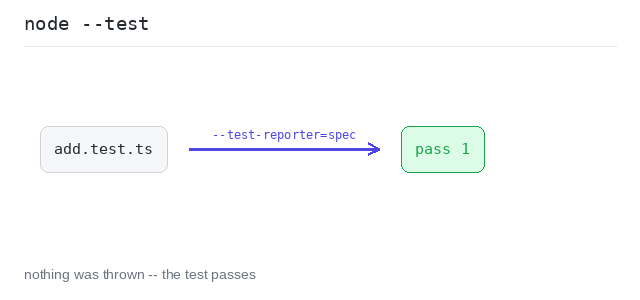
Inside the test you call the function, compare what you got with what you want, and let assert report the difference. A failing assertion throws, and the runner marks the test as failed. Nothing thrown means the test passes.
A first passing test
add(2, 3) is compared with 5. They match, so assert.equal stays silent and the test passes. The runner prints one ✔ line for the test, and pass 1 in the summary below it.
Output: TypeScript file and captured output
import { test } from "node:test"
import assert from "node:assert/strict"

function add(a: number, b: number): number {
  return a + b
}

test("add(2, 3) is 5", () => {
  const got = add(2, 3)
  const want = 5
  assert.equal(got, want, `add(2, 3) = ${got}; want ${want}`)
})
A failing test
This add has a bug — it multiplies. The test catches it: the run prints a ✖ line and fail 1, then a report with our own message add(2, 3) = 6; want 5 and the two values, 6 !== 5.
Output: TypeScript file and captured output
import { test } from "node:test"
import assert from "node:assert/strict"

// add has a bug: it multiplies instead of adding.
function add(a: number, b: number): number {
  return a * b
}

test("add(2, 3) is 5", () => {
  const got = add(2, 3)
  const want = 5
  assert.equal(got, want, `add(2, 3) = ${got}; want ${want}`)
})
Running Tests
node --test runs the tests. Given a file name it runs that file; given nothing it searches the folder for files that look like tests and runs all of them.
The reporter decides how much you see. --test-reporter=spec lists every test by name with a ✔ or a ✖ in front of it, and that is the form used all through this tutorial. The summary lines below start with ℹ and count how many tests ran, passed and failed.
Two tests, both listed by name
The file has two small functions and one test for each. The reporter shows both by name, so you can see that both ran and both passed — the summary says tests 2 and pass 2.
Output: TypeScript file and captured output
import { test } from "node:test"
import assert from "node:assert/strict"

function double(n: number): number {
  return n * 2
}

function half(n: number): number {
  return n / 2
}

test("double(4) is 8", () => {
  assert.equal(double(4), 8, "double(4) should be 8")
})

test("half(8) is 4", () => {
  assert.equal(half(8), 4, "half(8) should be 4")
})