Two Ways to Fail
A test can report a problem in two ways, and the difference is what happens next:
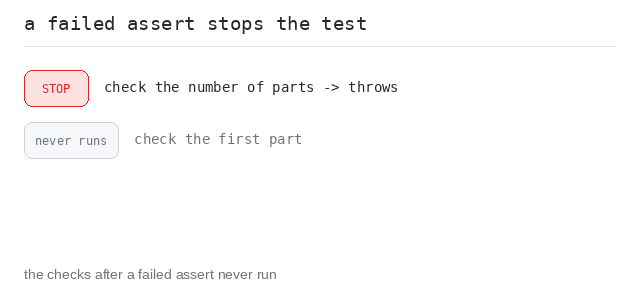
Every assertion in node:assert/strict throws when it fails. A throw ends the test it is in, so the checks written after it never run. That is fail-fast behavior, and it is what you get by default.
To report a problem and keep checking, put each check in its own test(…) call. Tests are independent: one failing test does not stop the next one, so a single run can report several problems at once.
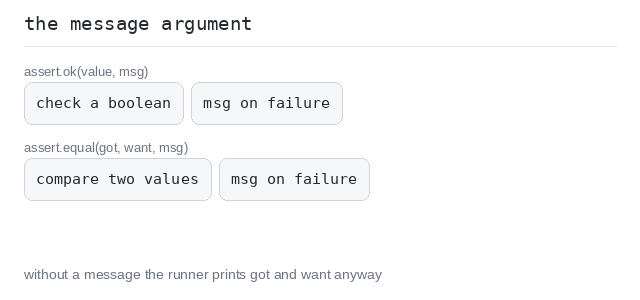
Both shapes take a message. assert.equal(got, want, "…") and assert.ok(value, "…") print your text in place of the default one.
Separate Tests: Report and Continue
When you want to check several cases in a row, give each case its own test. A broken case is reported, and the cases after it are still checked.
That way one run shows you the whole damage — not just the first broken case.
See every broken case at once
This add ignores b, so all three checks fail. Because each check is its own test, all three ✖ lines appear in a single run and the summary says fail 3. Written as three checks inside one test, only the first would have been reported.
Output: TypeScript file and captured output
import { test } from "node:test"
import assert from "node:assert/strict"

// add has a bug: it ignores b.
function add(a: number, b: number): number {
  return a
}

// One test per check: a failure in one does not hide the others.
test("add(2, 2) is 4", () => {
  assert.equal(add(2, 2), 4)
})

test("add(2, 3) is 5", () => {
  assert.equal(add(2, 3), 5)
})

test("add(10, 1) is 11", () => {
  assert.equal(add(10, 1), 11)
})
A Failed Assertion Stops the Test
Sometimes a failed check means the rest of the test cannot work. A typical case: the test first prepares a value, then inspects it. If the preparation already went wrong, inspecting it would be useless or would even crash.
Here the throwing assertion is exactly what you want. It ends the test right there, and the checks below it never run — and that is the point.
Stop before the useless checks
splitWords has a bug (it splits on the wrong character), so 1 part comes back instead of 3. The length check fails and throws, so the check of the first part below is never reached — the report shows that one failure and nothing else.
Output: TypeScript file and captured output
import { test } from "node:test"
import assert from "node:assert/strict"

// splitWords has a bug: it splits on ";" instead of ",".
function splitWords(s: string): string[] {
  return s.split(";")
}

test("splitWords finds three parts", () => {
  const parts = splitWords("one,two,three")

  assert.equal(parts.length, 3, `got ${parts.length} parts, want 3 — cannot check them`)

  // Never reached while the bug is there.
  assert.equal(parts[0], "one")
})
Messages on Boolean Checks
assert.ok(value, message) is the check for a plain boolean: it fails when the value is falsy. Use it where there is no got and want pair to compare, only a yes-or-no answer.
The message is the second argument, and it is optional. Without it the runner still prints its own text and the values it compared, so your own message is worth writing when it says more than that.
Plain messages
Two simple boolean checks, each in its own test, each with a plain message. Both pass here, so the messages stay silent and the summary says pass 2.
Output: TypeScript file and captured output
import { test } from "node:test"
import assert from "node:assert/strict"

function isEven(n: number): boolean {
  return n % 2 === 0
}

test("4 is even", () => {
  assert.ok(isEven(4), "4 should be even")
})

test("3 is not even", () => {
  assert.ok(!isEven(3), "3 should not be even")
})