Transforming a Collection
A transformation takes a collection, such as an array, and builds a new collection from it. The original is not changed.
PHP arrays come with a large family of ready-made functions for this: array_map applies a function to every element, array_merge joins arrays, array_combine glues keys to values, array_column picks one position out of every row, and implode turns an array into text. Where no ready-made function fits, a short foreach loop does the job.
The same PHP array works as a list and as a key:value store. A plain list has the keys 0, 1, 2 and so on; an associative array has keys you choose. Both keep their entries in insertion order, and both are used on this page.
Map
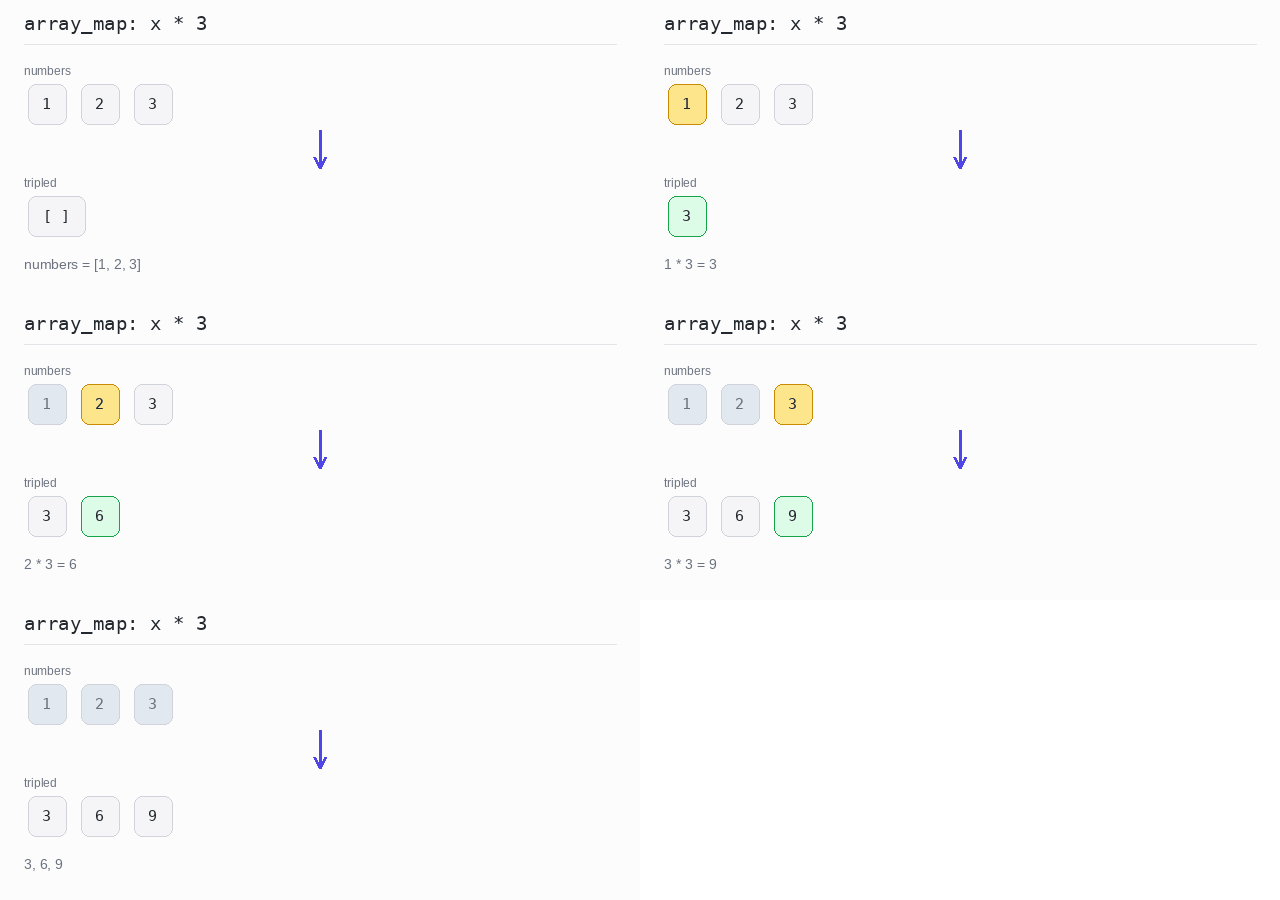
The map operation applies the same function to every element and collects the answers in a new array of the same length. For example, it can turn 1, 2, 3 into 3, 6, 9.
In PHP this is exactly what array_map does: it takes the function first and the array second, and returns a new array. The function is often a short arrow function like fn($x) => $x * 3.
array_map never changes the original array. It builds and returns a new one, so you can keep both.
Map with array_map
array_map calls the arrow function on every element and returns a new array. Here it multiplies each number by 3, and implode prints the new array as 3, 6, 9.
Output: PHP script
<?php
$numbers = [1, 2, 3];
// array_map calls the function on every element and returns a new array
$tripled = array_map(fn($x) => $x * 3, $numbers);
echo implode(", ", $tripled) . "\n";
Map with the index
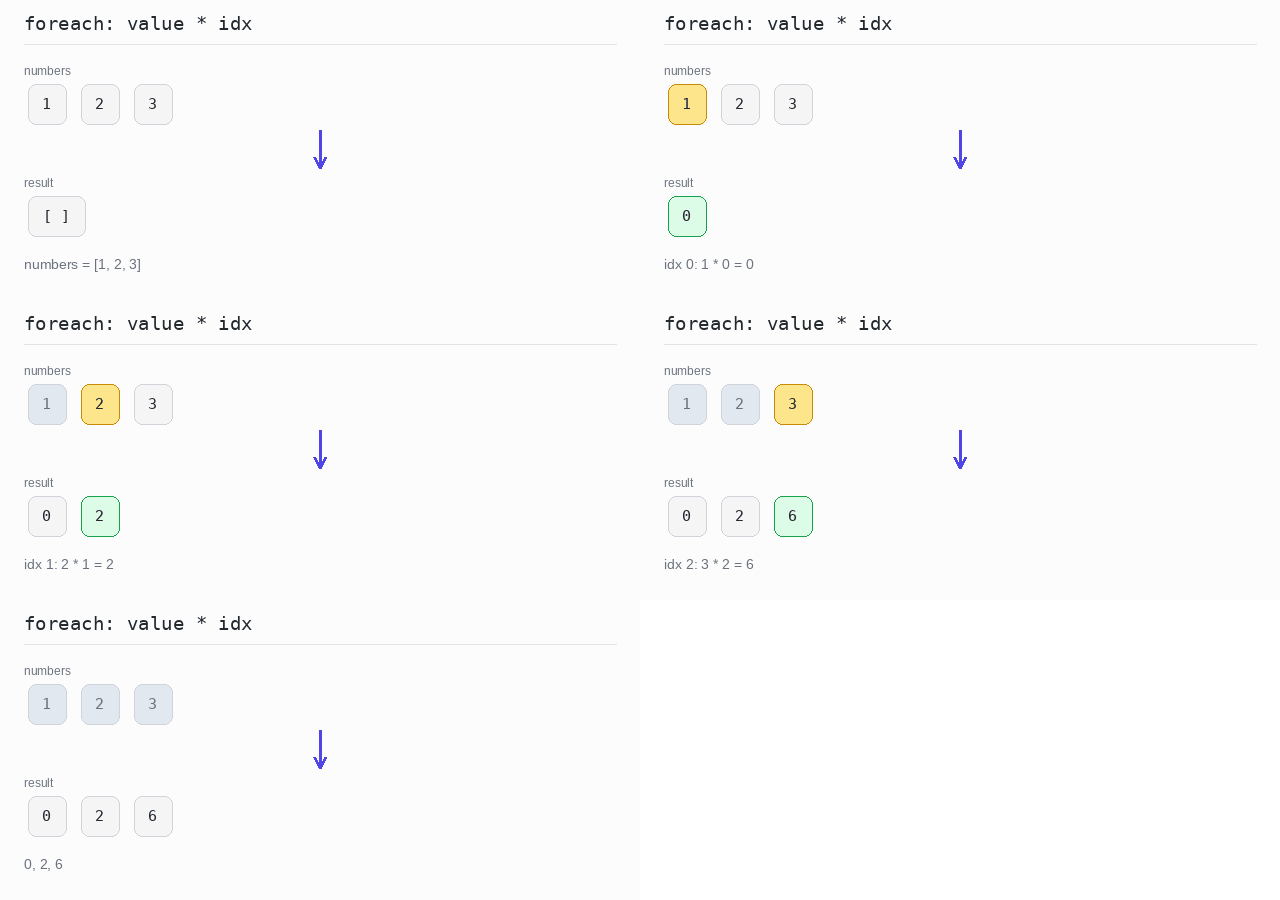
Sometimes the position of an element matters too. foreach gives you both the key and the value, and in a plain list the keys are the positions 0, 1, 2. Here each value is multiplied by its own index, so the program prints 0, 2, 6.
Output: PHP script
<?php
$numbers = [1, 2, 3];
$result = [];
// foreach gives both the key (the index) and the value
foreach ($numbers as $idx => $value) {
  $result[] = $value * $idx;
}
echo implode(", ", $result) . "\n";
Skip some results
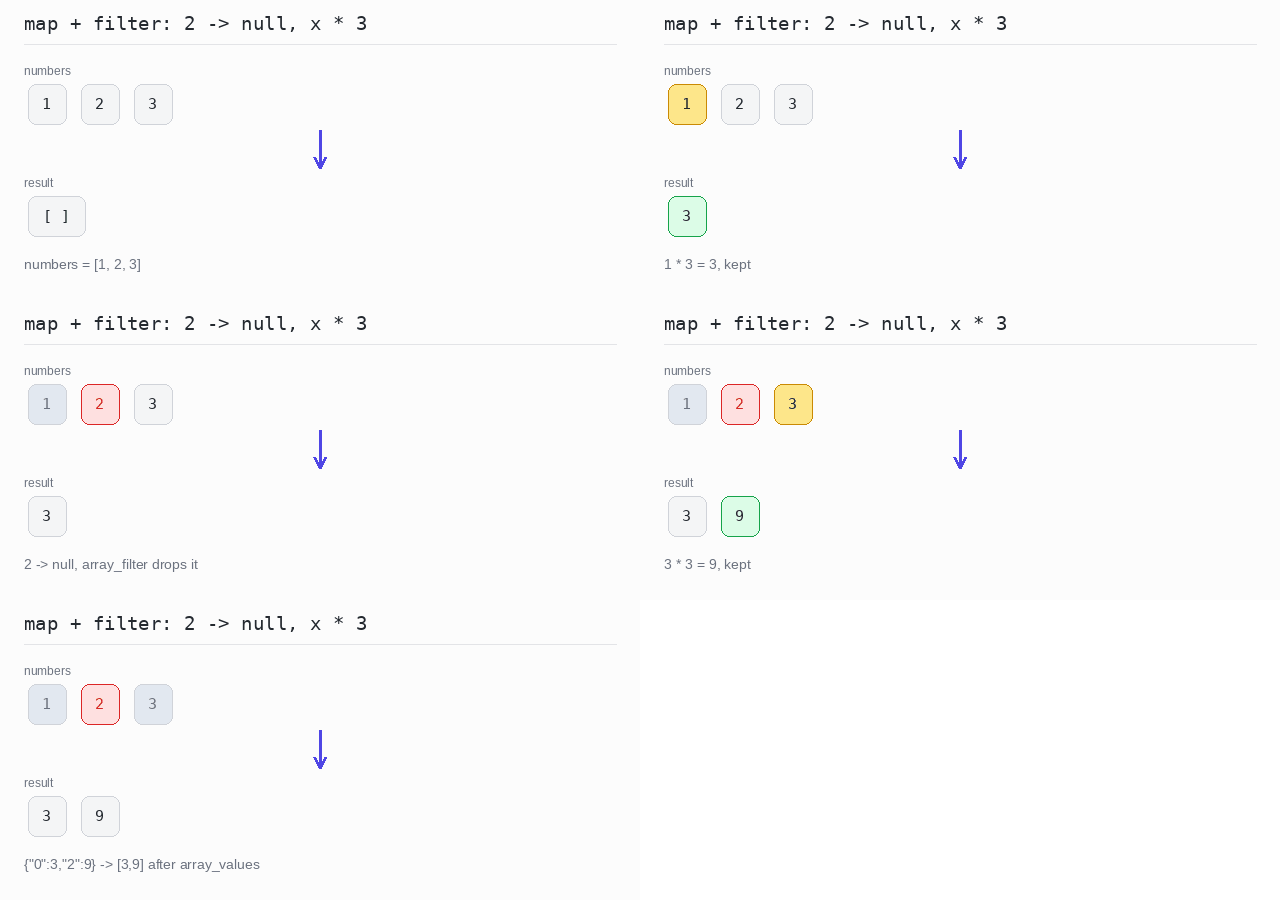
Sometimes some results should be dropped. Return null for them, then remove the null values with array_filter. Watch out: array_filter keeps the original keys, so the filtered array still has the keys 0 and 2 and json_encode prints it as {"0":3,"2":9}. array_values reindexes it into a clean list: [3,9].
Output: PHP script
<?php
$numbers = [1, 2, 3];
// return null for elements that should be dropped
$mapped = array_map(fn($x) => $x === 2 ? null : $x * 3, $numbers);
// array_filter removes the null but keeps the original keys
$kept = array_filter($mapped, fn($v) => $v !== null);
// array_values reindexes the array to 0, 1, 2, ...
$result = array_values($kept);
echo json_encode($kept) . "\n";
echo json_encode($result) . "\n";
Transform array keys
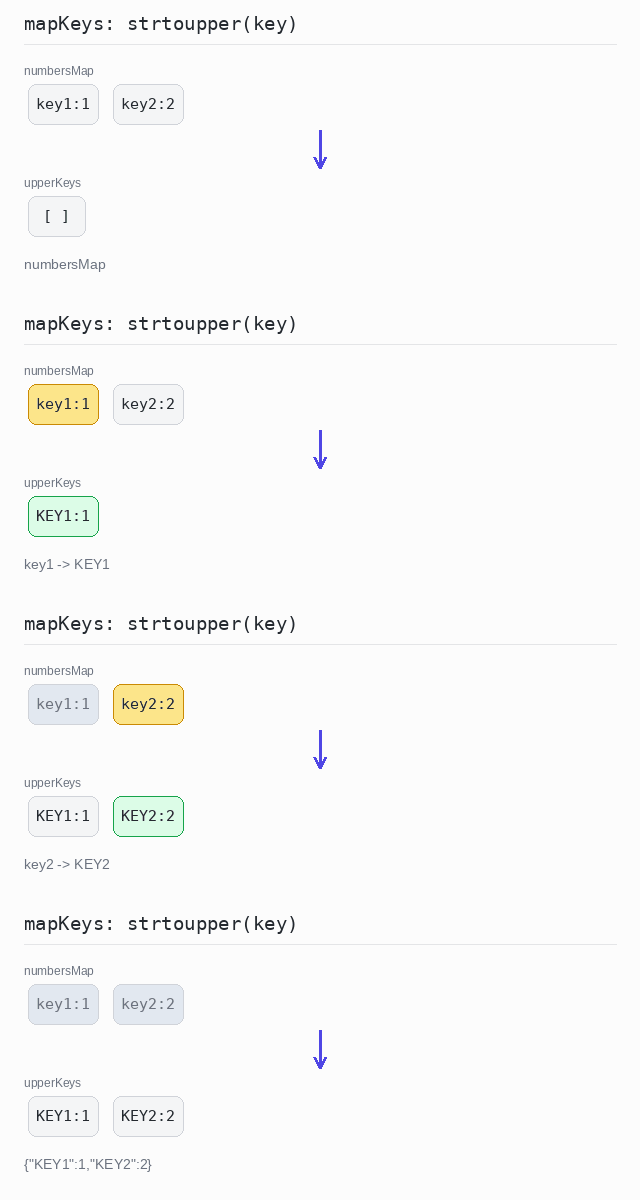
To change the keys of an associative array, transform the keys and glue them back to the values. array_keys gives all keys, array_map('strtoupper', ...) makes them uppercase, and array_combine pairs the new keys with the old values.
Output: PHP script
<?php
$numbersMap = ["key1" => 1, "key2" => 2];
// uppercase every key, then glue the new keys back to the old values
$upperKeys = array_combine(
  array_map('strtoupper', array_keys($numbersMap)),
  $numbersMap
);
echo json_encode($upperKeys) . "\n";
Transform array values
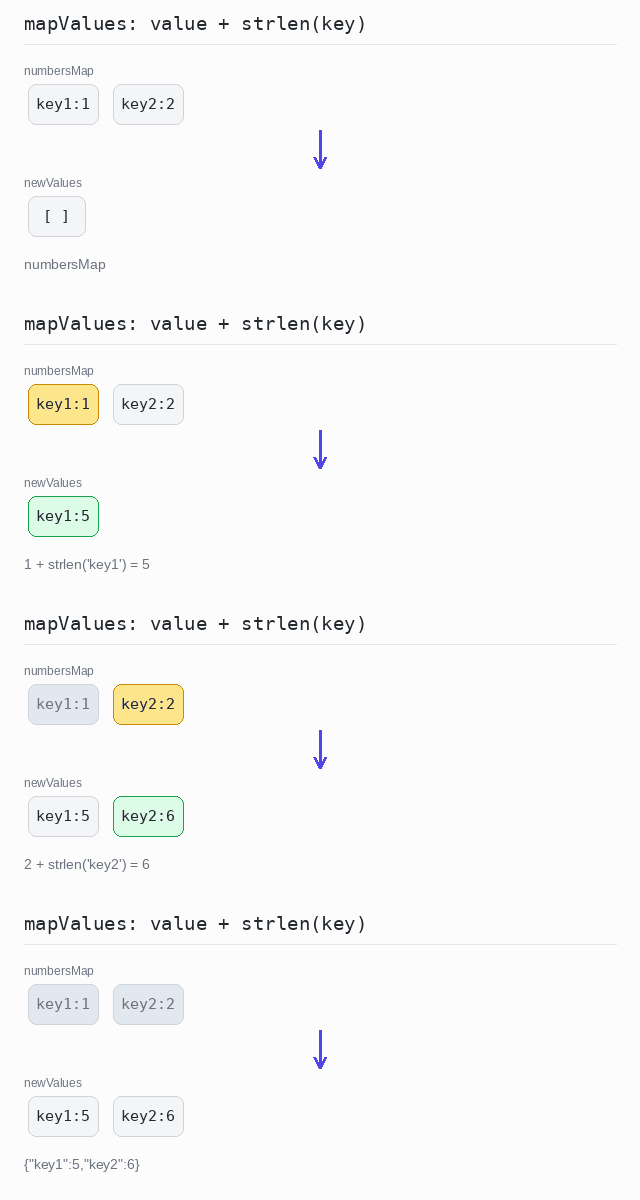
To change the values, keep the keys and compute new values. array_map can walk two arrays at once — here the keys and the values — so each new value is the old value plus the length of its key: 1 + strlen("key1") is 5.
Output: PHP script
<?php
$numbersMap = ["key1" => 1, "key2" => 2];
// keep the keys, compute a new value from each key:value pair
$newValues = array_combine(
  array_keys($numbersMap),
  array_map(fn($key, $value) => $value + strlen($key),
            array_keys($numbersMap), $numbersMap)
);
echo json_encode($newValues) . "\n";
Zip
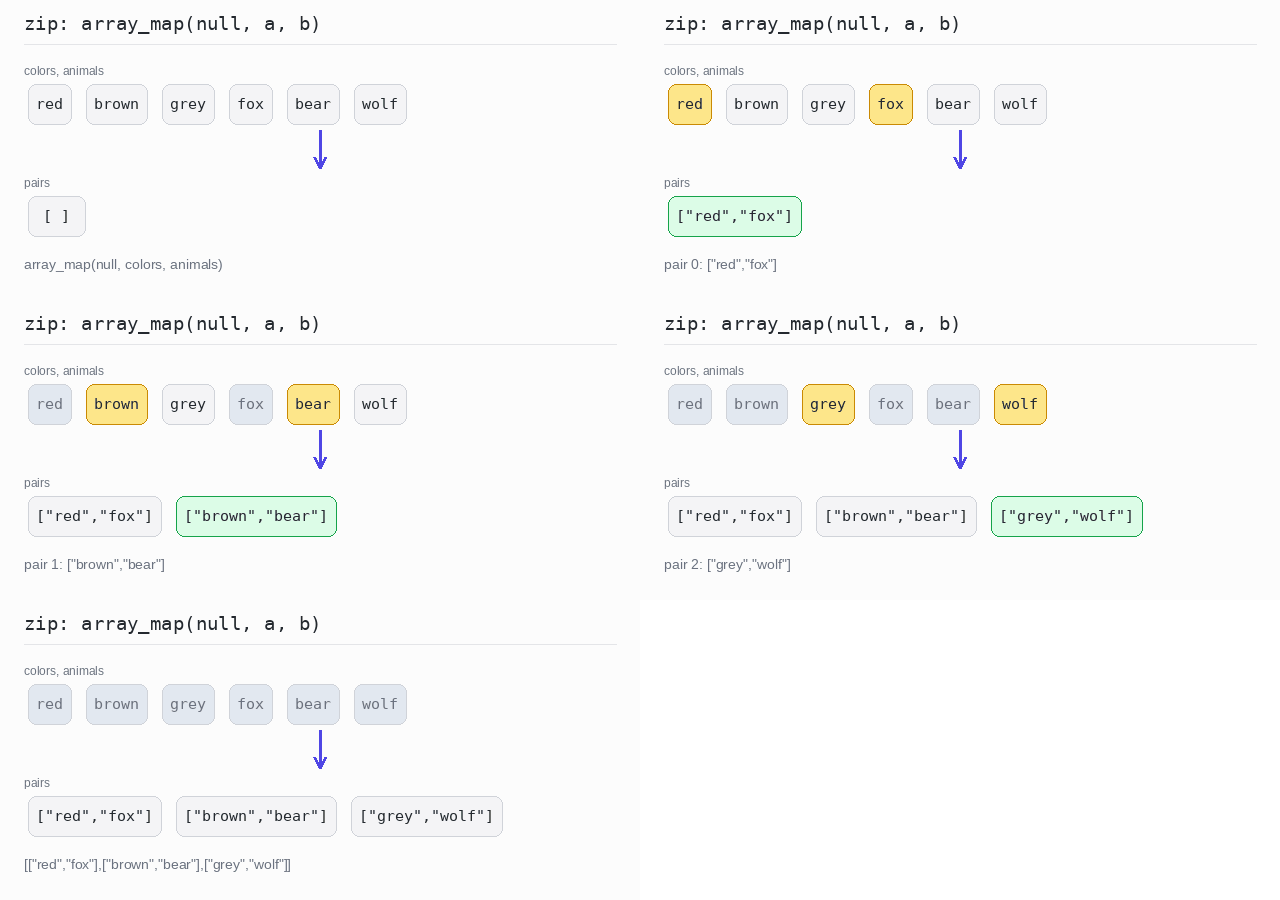
Zipping takes two arrays and pairs up their elements by position: the first with the first, the second with the second, and so on.
PHP has a classic idiom for this: array_map(null, $a, $b). When the callback is null and there are several arrays, array_map builds an array of pairs. Note that it does not stop at the shorter array — the missing places are filled with null — so zip arrays of the same length, or cut the longer one with array_slice first.
Zip two arrays
With null as the callback, array_map pairs the two arrays into an array of two-element arrays. json_encode shows the whole result in one line.
Output: PHP script
<?php
$colors = ["red", "brown", "grey"];
$animals = ["fox", "bear", "wolf"];
// array_map with null as the callback pairs the arrays element by element
$pairs = array_map(null, $colors, $animals);
echo json_encode($pairs) . "\n";
Zip with a transformation
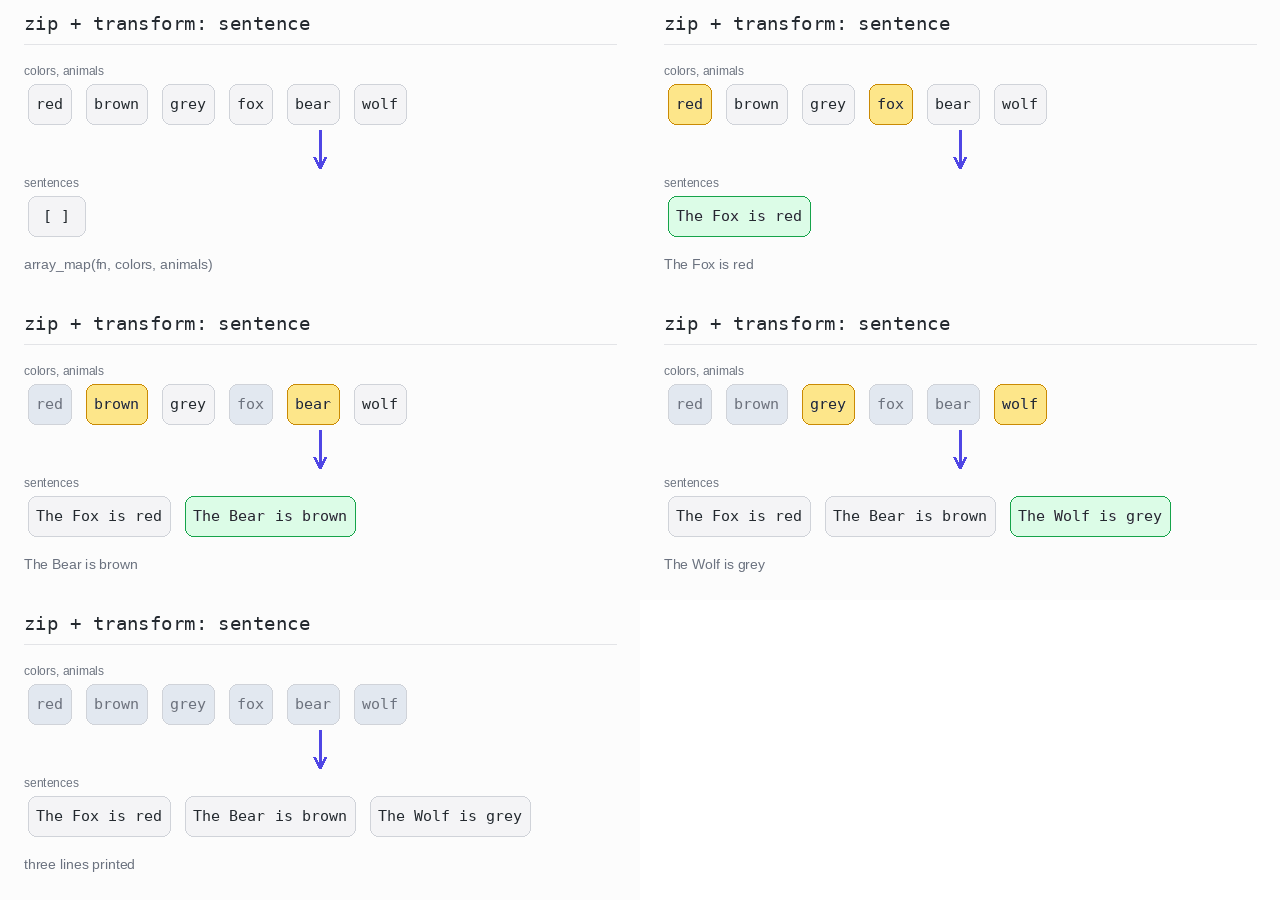
You do not always need the pairs themselves. Give array_map a real callback and both arrays, and it calls the function with one element from each. ucfirst makes the first letter of the animal name uppercase.
Output: PHP script
<?php
$colors = ["red", "brown", "grey"];
$animals = ["fox", "bear", "wolf"];
// the callback gets one element from each array
$sentences = array_map(
  fn($color, $animal) => "The " . ucfirst($animal) . " is " . $color,
  $colors,
  $animals
);
echo implode("\n", $sentences) . "\n";
Unzip an array of pairs
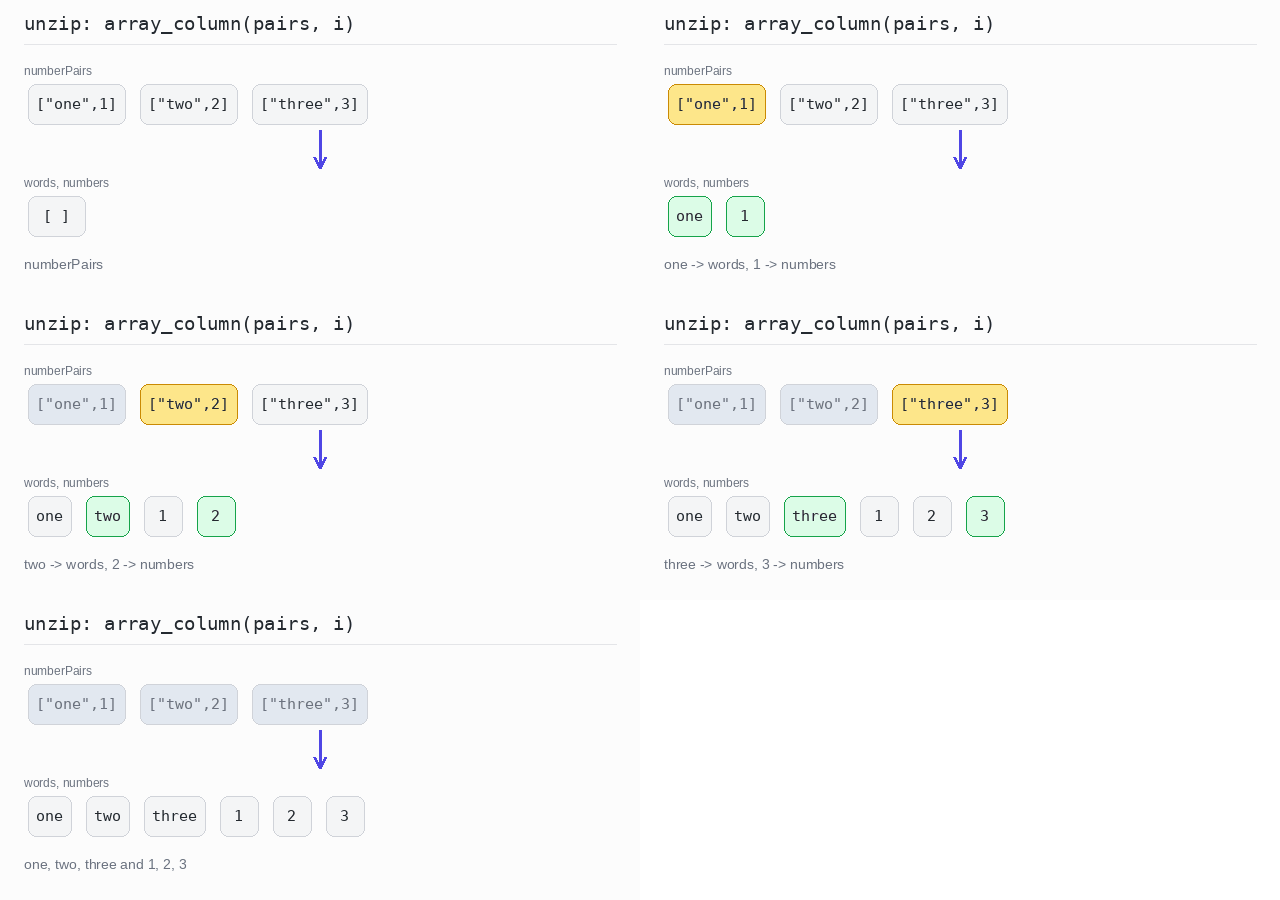
Unzipping is the reverse: one array of pairs becomes two arrays. array_column collects the element at one position from every pair — position 0 gives the words and position 1 gives the numbers.
Output: PHP script
<?php
$numberPairs = [["one", 1], ["two", 2], ["three", 3]];
// array_column picks the element at one position out of every pair
$words = array_column($numberPairs, 0);
$numbers = array_column($numberPairs, 1);
echo implode(", ", $words) . "\n";
echo implode(", ", $numbers) . "\n";
Associate
Associating builds an associative array from a list. Each element gives you one key and one value. An array cannot hold the same key twice, so if two elements produce the same key, the later one wins.
The pattern is a plain foreach loop: start with an empty array and assign $result[$key] = $value for each element. PHP keeps the entries in the order they were added.
Elements as keys
The element itself becomes the key, and a value is computed from it. Here the words are keys and their lengths are values, so the program prints {"one":3,"two":3,"three":5}.
Output: PHP script
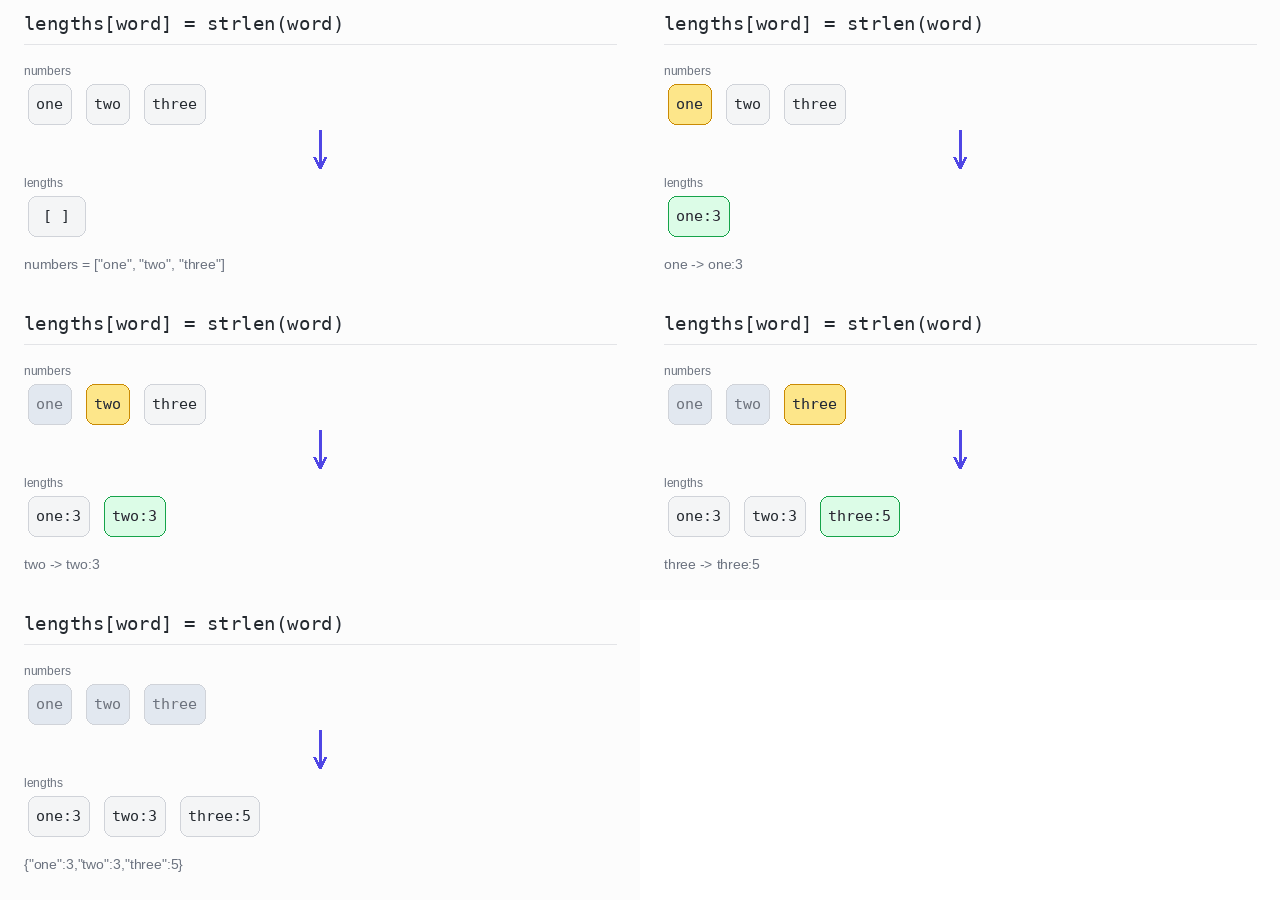
<?php
$numbers = ["one", "two", "three"];
$lengths = [];
// each word becomes a key, its length becomes the value
foreach ($numbers as $word) {
  $lengths[$word] = strlen($word);
}
echo json_encode($lengths) . "\n";
Elements as values
The element becomes the value, and the key is computed from it. Here the key is the uppercase first letter, taken with $word[0] and strtoupper. Both two and three start with T, so three replaces two and the array has only two entries.
Output: PHP script
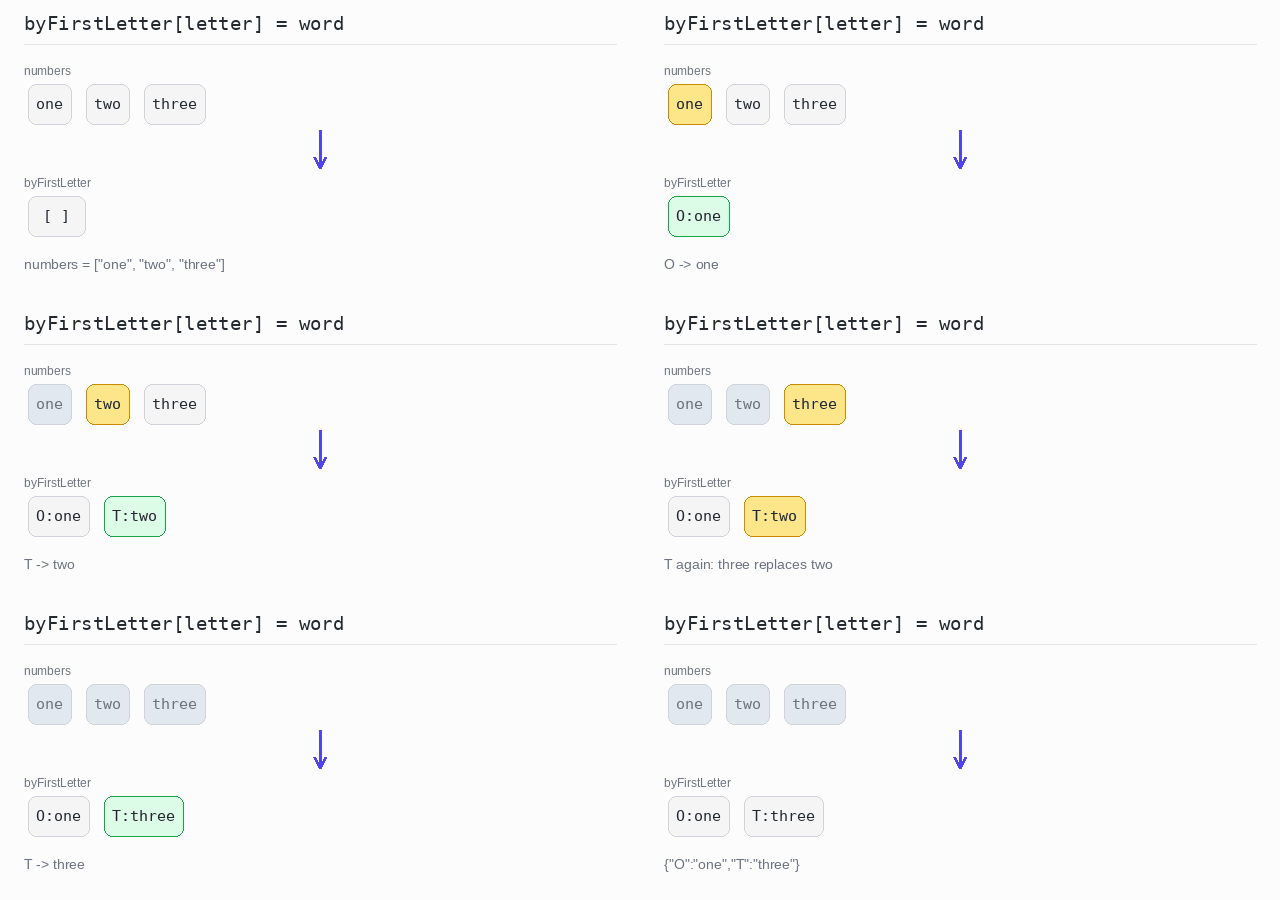
<?php
$numbers = ["one", "two", "three"];
$byFirstLetter = [];
// the key is the first letter; a later word replaces an earlier one
foreach ($numbers as $word) {
  $byFirstLetter[strtoupper($word[0])] = $word;
}
echo json_encode($byFirstLetter) . "\n";
Compute both key and value
You can compute both the key and the value from the element. Here the key is the first letter and the value is the word length. Again the later T entry wins.
Output: PHP script
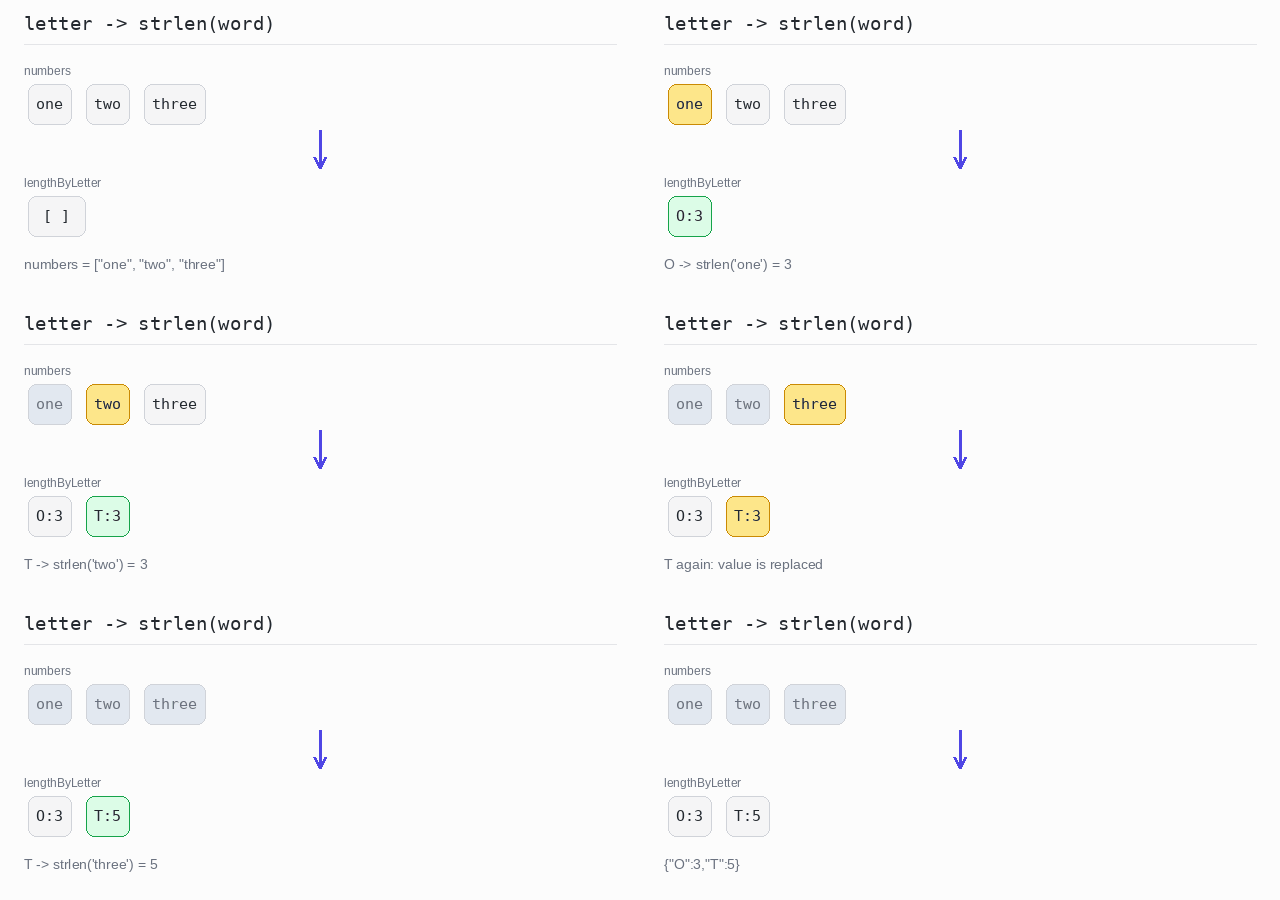
<?php
$numbers = ["one", "two", "three"];
$lengthByLetter = [];
// the key is the first letter, the value is the word length
foreach ($numbers as $word) {
  $lengthByLetter[strtoupper($word[0])] = strlen($word);
}
echo json_encode($lengthByLetter) . "\n";
Key and value from one element
Sometimes one element carries both parts. explode splits a full name on the space into an array of words, and the list assignment [$first, $last] = ... unpacks it. The last name becomes the key and the first name becomes the value.
Output: PHP script
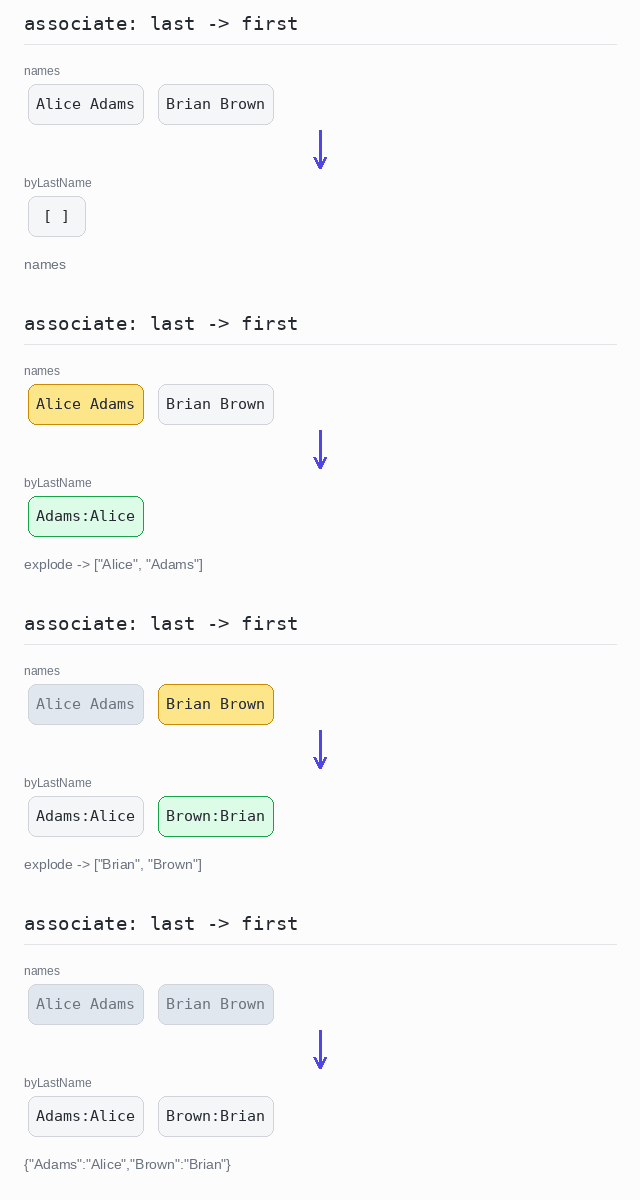
<?php
$names = ["Alice Adams", "Brian Brown"];
$byLastName = [];
foreach ($names as $fullName) {
  [$first, $last] = explode(" ", $fullName); // split on the space
  $byLastName[$last] = $first;               // last name -> first name
}
echo json_encode($byLastName) . "\n";
Flatten
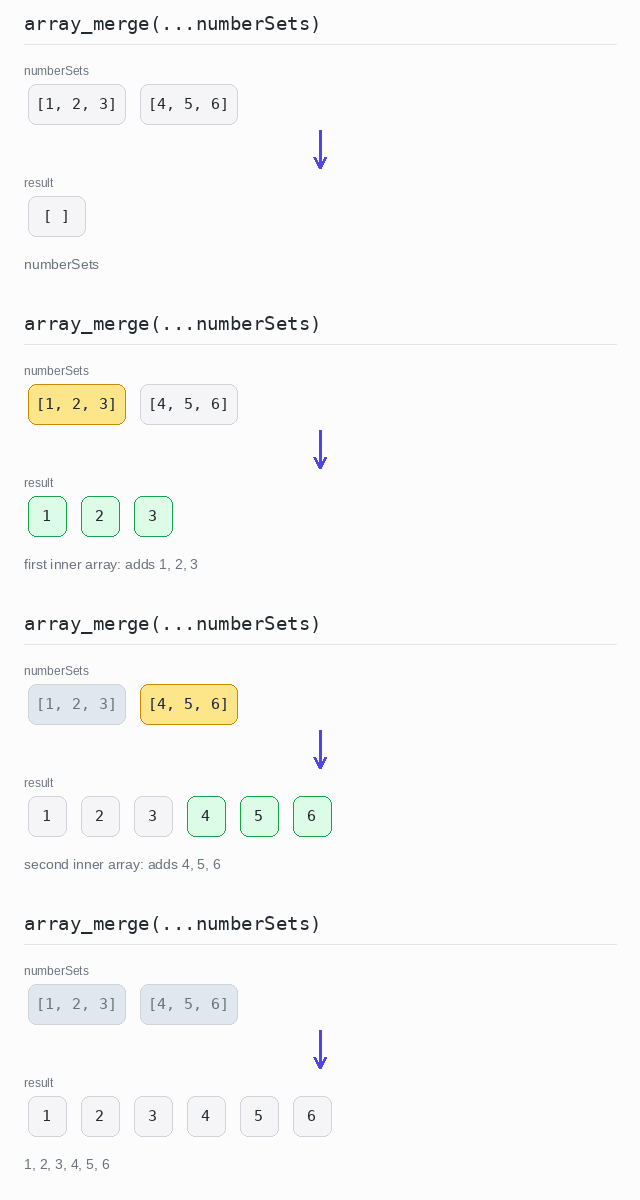
Flattening turns a nested collection, such as an array of arrays, into one plain array with all the elements in order.
In PHP, array_merge joins any number of arrays, and the three dots spread the inner arrays into the call: array_merge(...$nested).
Flatten an array of arrays
The three dots turn array_merge(...$numberSets) into array_merge([1, 2, 3], [4, 5, 6]). Two inner arrays of three numbers become one array of six.
Output: PHP script
<?php
$numberSets = [[1, 2, 3], [4, 5, 6]];
// the three dots spread the inner arrays into array_merge
$result = array_merge(...$numberSets);
echo implode(", ", $result) . "\n";
Flatten values from objects
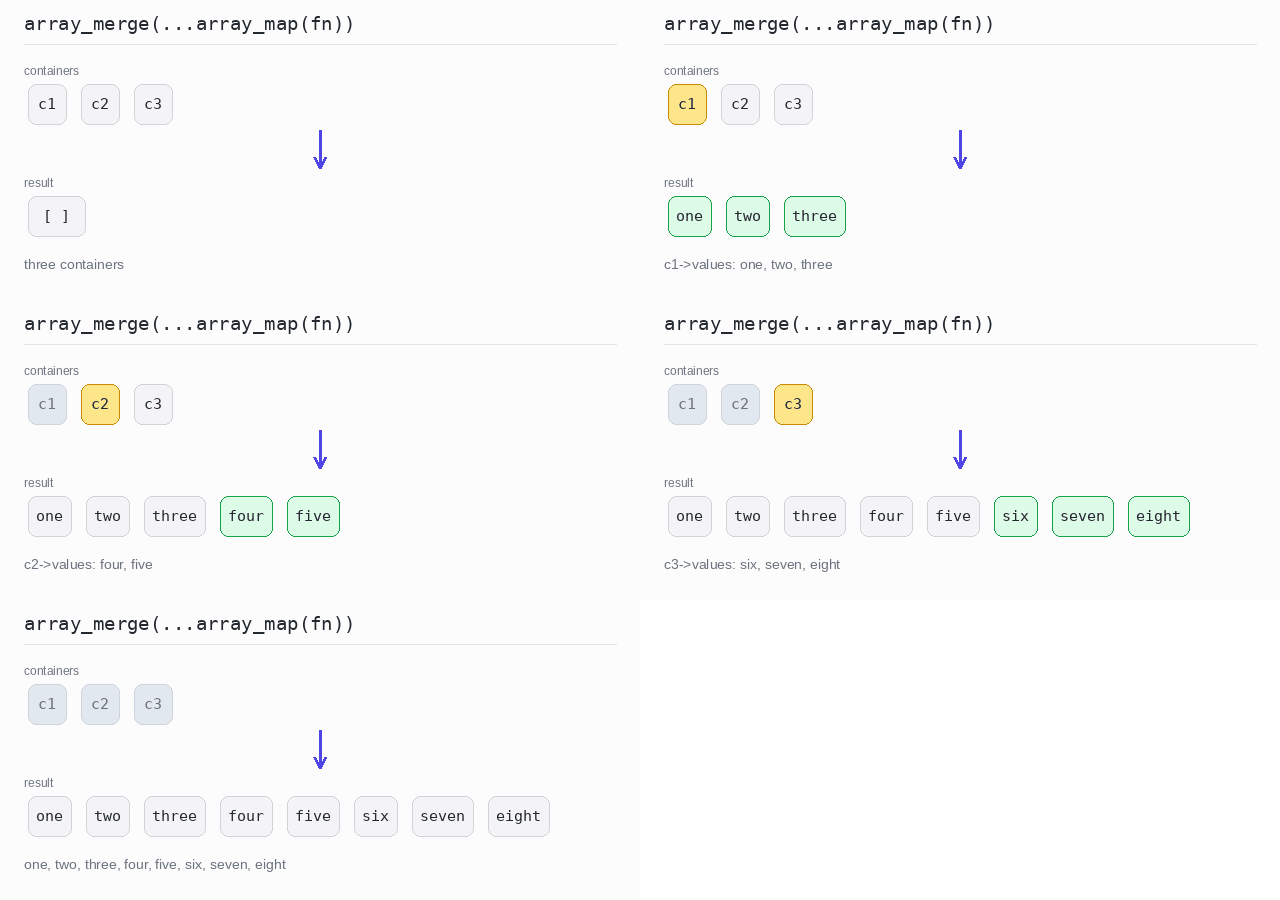
A flat map first takes an array out of every element, then joins all those arrays together. array_map reads the $values property of each container, and array_merge with the three dots glues the three arrays into one.
Output: PHP script
<?php
declare(strict_types=1);

class Container {
  public function __construct(public array $values) {}
}

$containers = [
  new Container(["one", "two", "three"]),
  new Container(["four", "five"]),
  new Container(["six", "seven", "eight"]),
];

// first map each container to its values, then merge all those arrays
$result = array_merge(...array_map(fn($c) => $c->values, $containers));
echo implode(", ", $result) . "\n";
String Representation
Often you want to show a collection as readable text, for example with commas between the elements.
In PHP, implode takes a separator and an array and returns one string. Numbers are turned into text automatically. The extras — a prefix, a postfix, a limit, or a transformation — are done with string concatenation, array_slice or array_map before joining.
Join with a separator
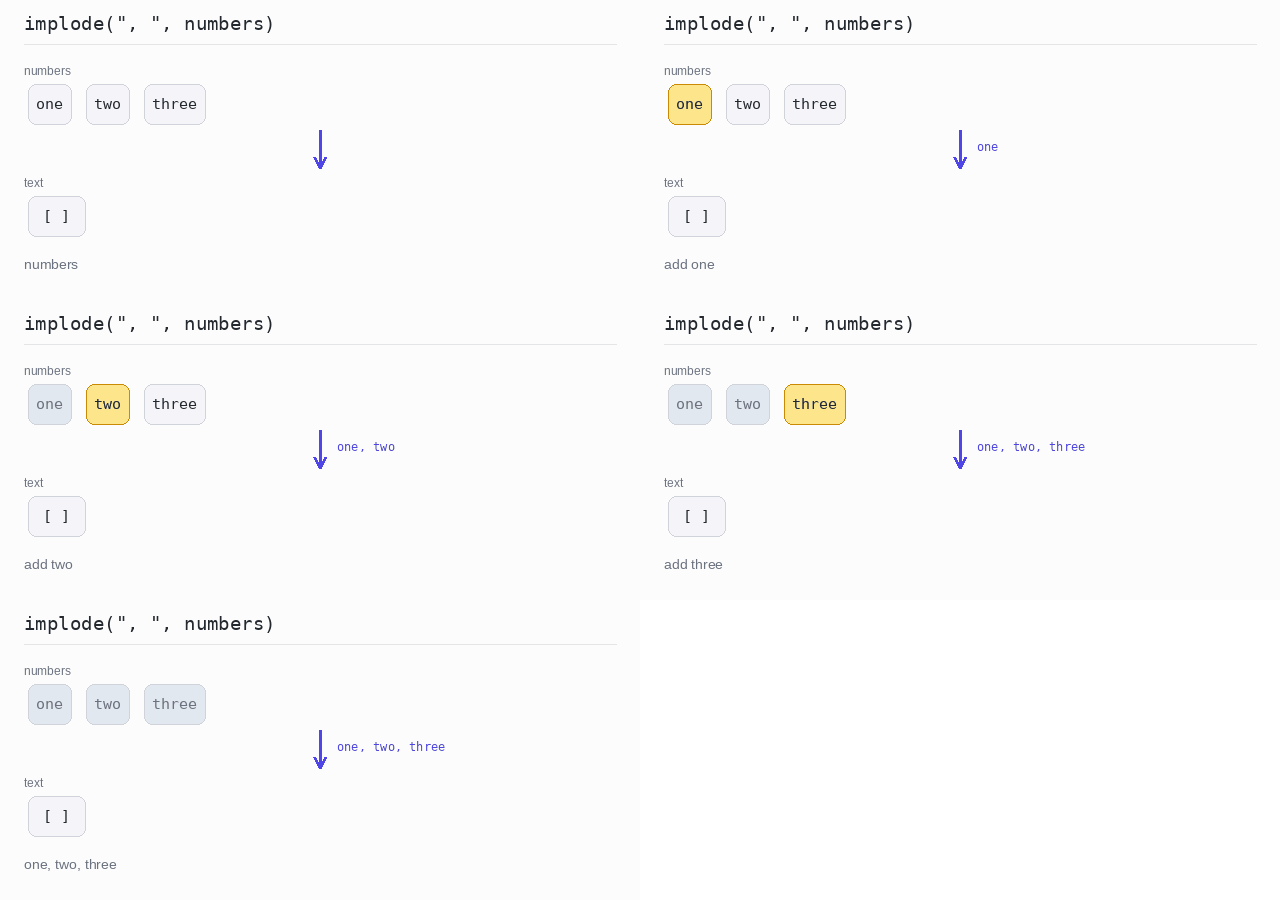
implode puts ", " between the words and returns one string.
Output: PHP script
<?php
$numbers = ["one", "two", "three"];
echo implode(", ", $numbers) . "\n";
Add a prefix and a postfix
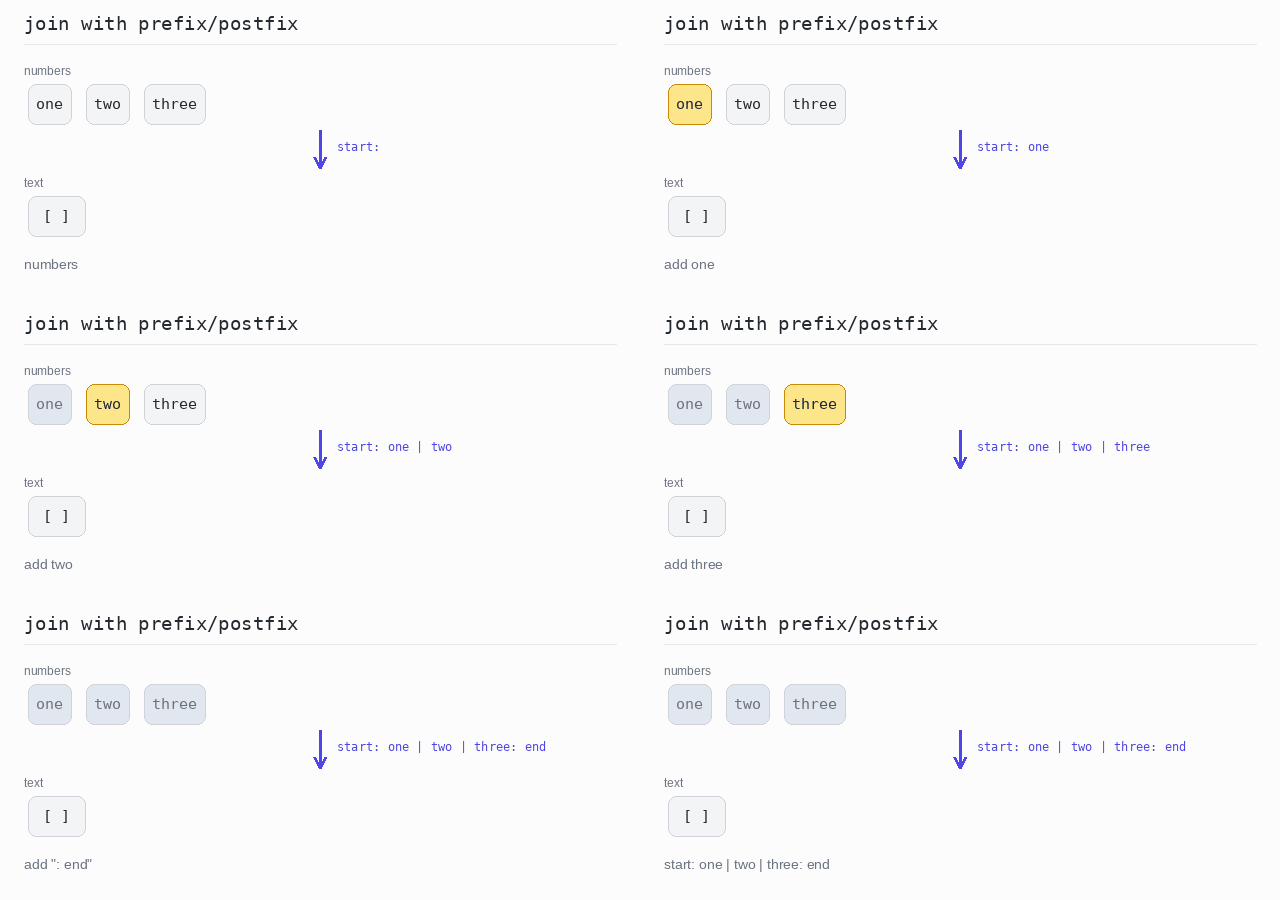
A prefix and a postfix are just text around the joined result. In PHP you add them with the . operator.
Output: PHP script
<?php
$numbers = ["one", "two", "three"];
// add the prefix and postfix around the joined text
$text = "start: " . implode(" | ", $numbers) . ": end";
echo $text . "\n";
Limit the number of elements
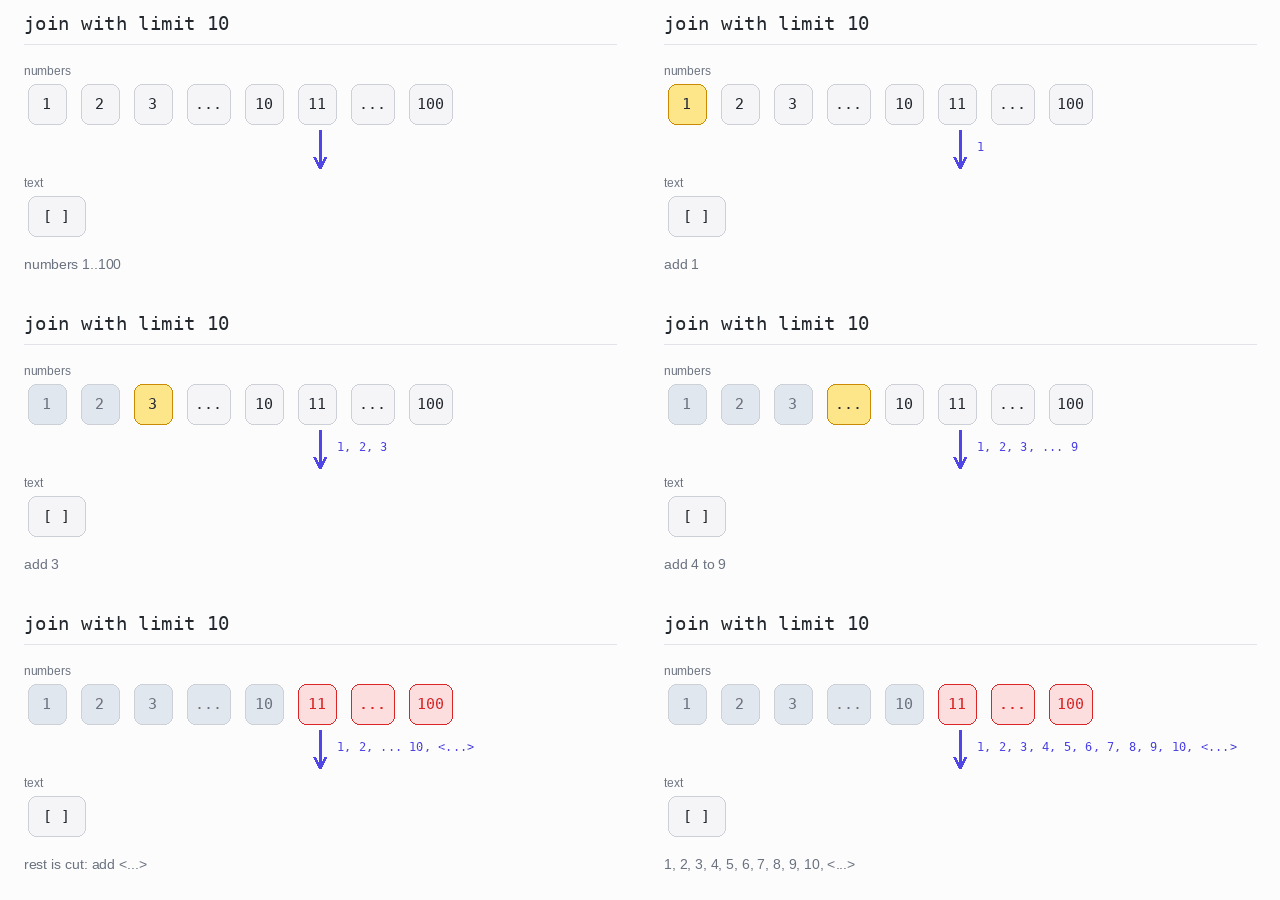
For a long array you may want to show only the first few elements. range(1, 100) builds the numbers, array_slice($numbers, 0, 10) takes the first 10, and "...>" is added at the end to show that more elements were cut off. implode turns the numbers into text by itself.
Output: PHP script
<?php
$numbers = range(1, 100);
// take only the first 10 numbers
$limit = 10;
$parts = array_slice($numbers, 0, $limit);
if (count($numbers) > $limit) {
  $parts[] = "<...>";
}
echo implode(", ", $parts) . "\n";
Transform each element before joining
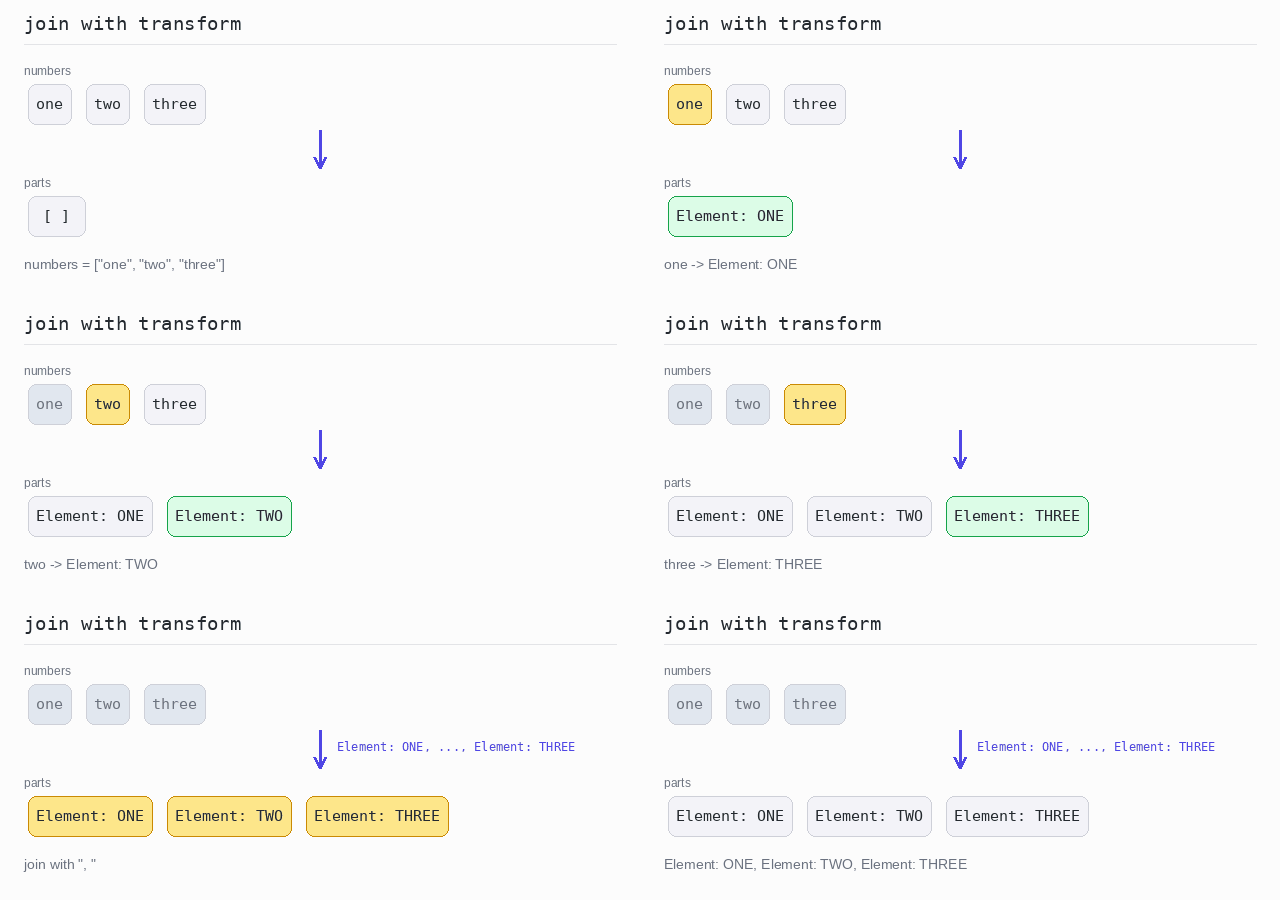
To change every element before joining, transform the array with array_map first, then implode the result. Here each word becomes "Element: " plus the word in uppercase.
Output: PHP script
<?php
$numbers = ["one", "two", "three"];
// change each word first, then join the results
$parts = array_map(fn($word) => "Element: " . strtoupper($word), $numbers);
echo implode(", ", $parts) . "\n";