Retrieving Single Elements
This lesson shows how to get one element out of an array: by its position, by a condition, or at random. It also shows how to check whether an element exists at all.
When a lookup can fail, PHP answers with null. Reading an index that does not exist, such as $words[5] in an array of 5 elements, does not stop the program: it raises a warning (Undefined array key 5) and gives null.
The null coalescing operator ?? makes the same read safe and silent: $words[5] ?? "missing" looks up the index without any warning and falls back to "missing" when there is no element. This pair — null for "not there" and ?? for the fallback — is the running idiom of this page.
PHP 8.4 also added ready-made search functions: array_find(), array_any() and array_all(). They are used below next to classics like in_array() and count().
Retrieve by Position
Every element in a plain list has a position called an index. The first index is 0, so the last one is count($words) - 1.
To read an element by position, write the index inside square brackets: $words[3]. PHP does not count from the end — $words[-1] would look for a key -1 that does not exist. The last element is read with array_key_last().
For an index that may be out of range, ?? replaces a whole family of helper functions: $words[$i] ?? null is "element at, or null", and $words[$i] ?? fallback($i) is "element at, or else".
Element at a position
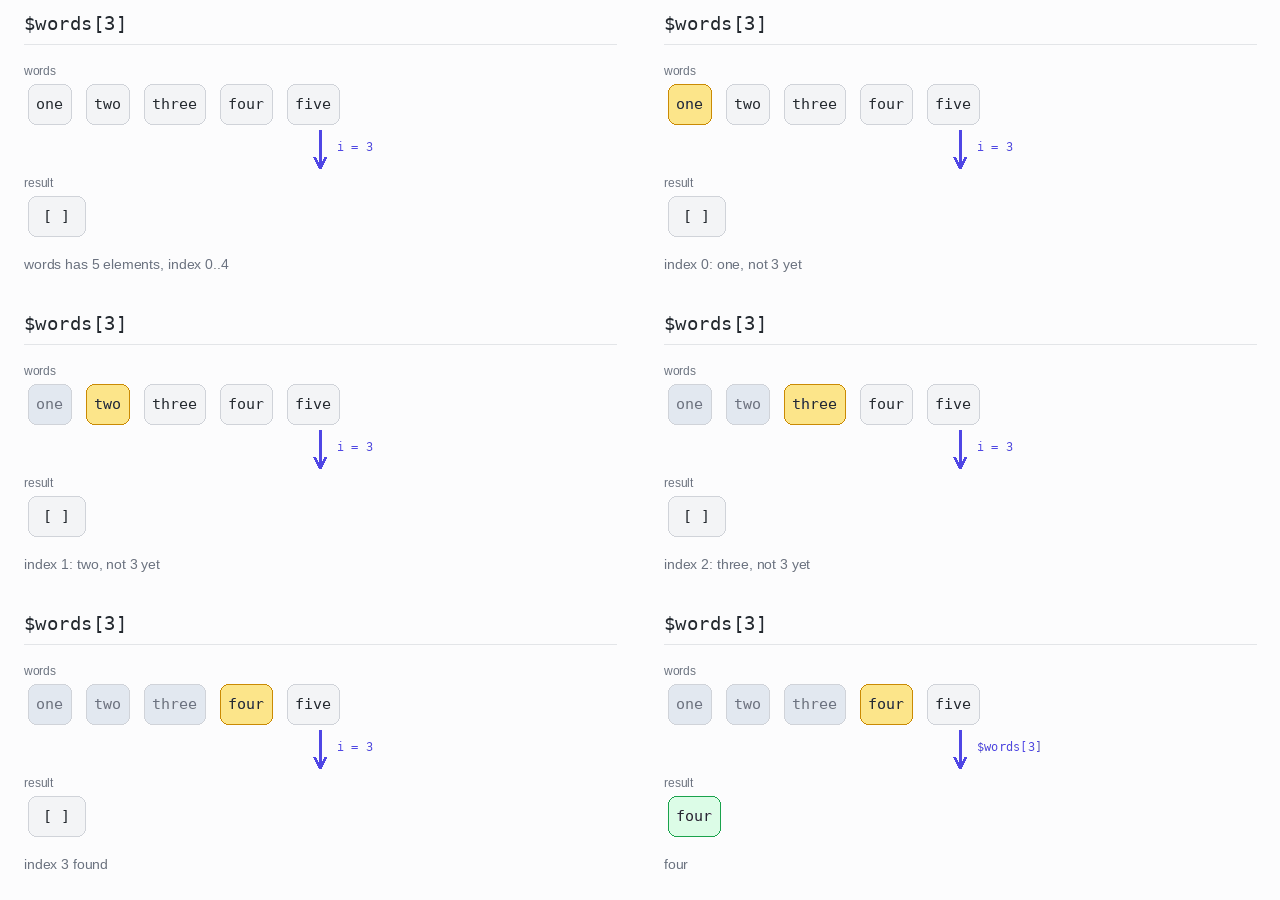
$words[3] reads the element at index 3. Since counting starts at 0, that is the fourth word.
Output: PHP script
<?php

$words = ["one", "two", "three", "four", "five"];

// Positions start at 0, so index 3 is the fourth element.
echo $words[3], "\n";
First and last element
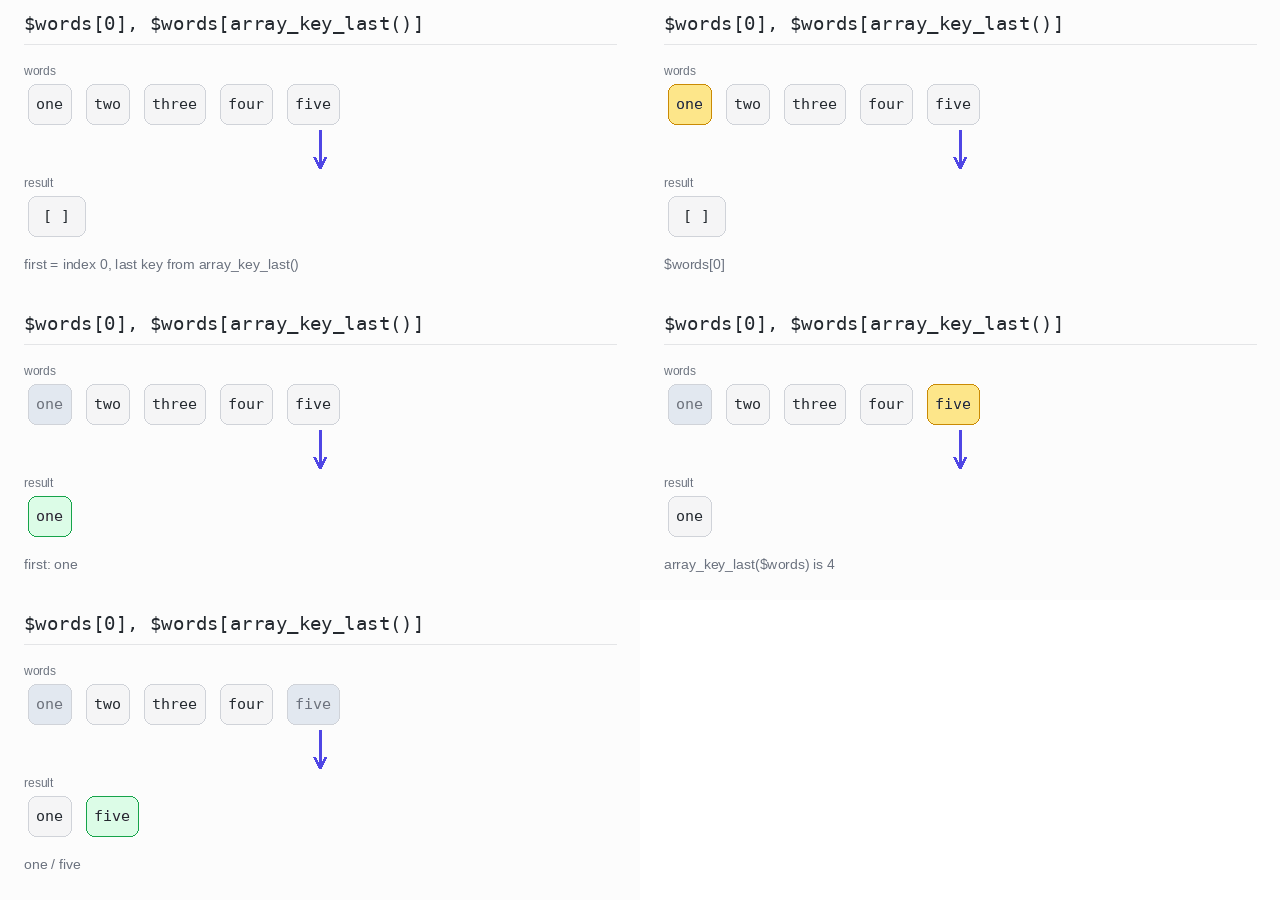
The first element is $words[0]. For the last one, array_key_last($words) returns the last key — here 4, because the array has 5 elements but the first index is 0. $words[-1] would not work: PHP has no negative indexes on arrays.
Output: PHP script
<?php

$words = ["one", "two", "three", "four", "five"];

// The first element is at index 0.
echo $words[0], "\n";

// array_key_last() gives the last key, here 4.
echo $words[array_key_last($words)], "\n";
Element at a position, or null
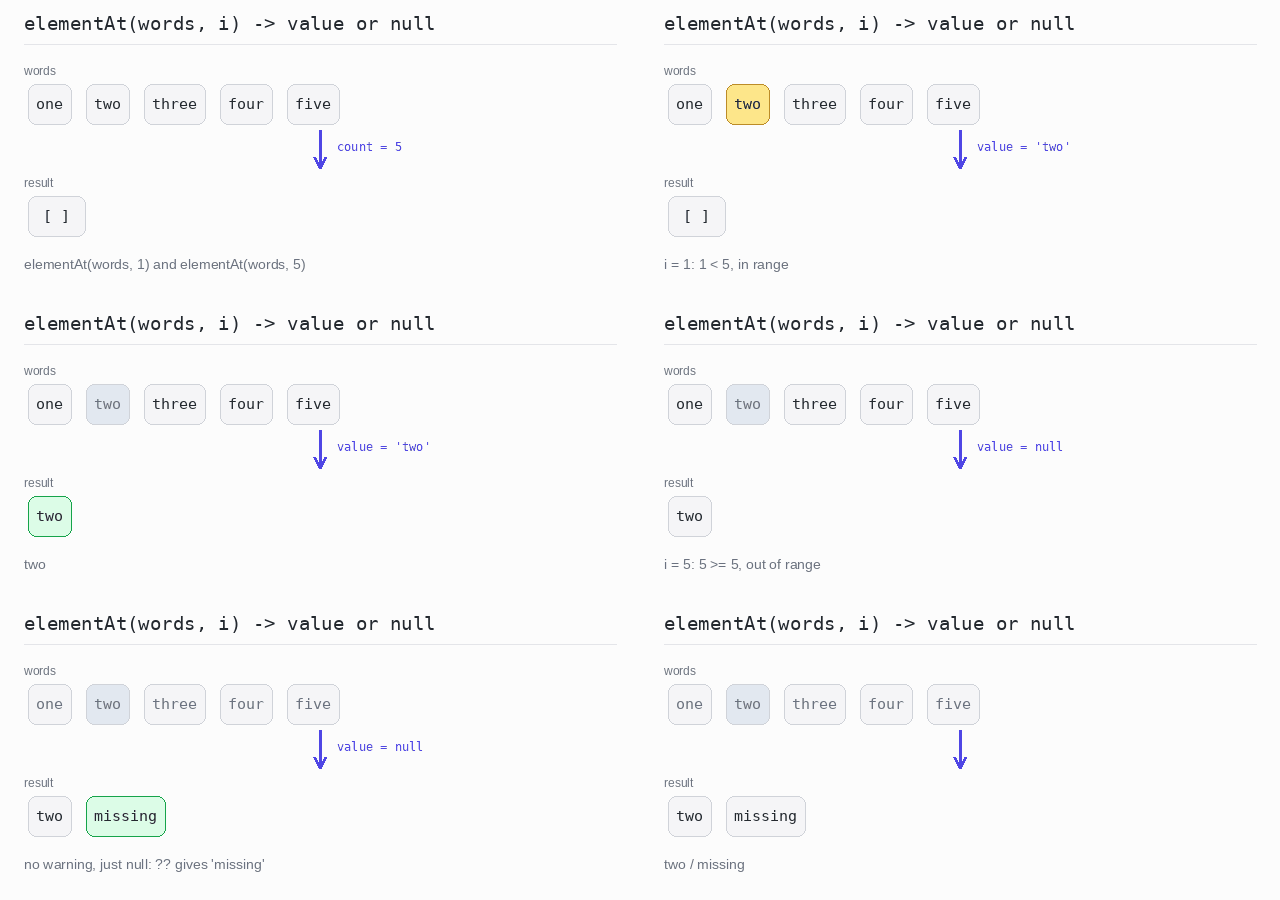
elementAt() answers with the element or with null. Index 1 exists, so the first call prints two. Index 5 does not: the helper gives null, no warning is raised, and ?? "missing" at the call site turns the null into the text missing.
Output: PHP script
<?php

// elementAt returns the element at index $i, or null when there is none.
function elementAt(array $items, int $i): mixed {
  return $items[$i] ?? null;
}

$words = ["one", "two", "three", "four", "five"];

// Index 1 exists, so the fallback after ?? is not used.
echo elementAt($words, 1) ?? "missing", "\n";

// Index 5 does not exist: no warning, just null -> "missing".
echo elementAt($words, 5) ?? "missing", "\n";
Element at a position, or a fallback
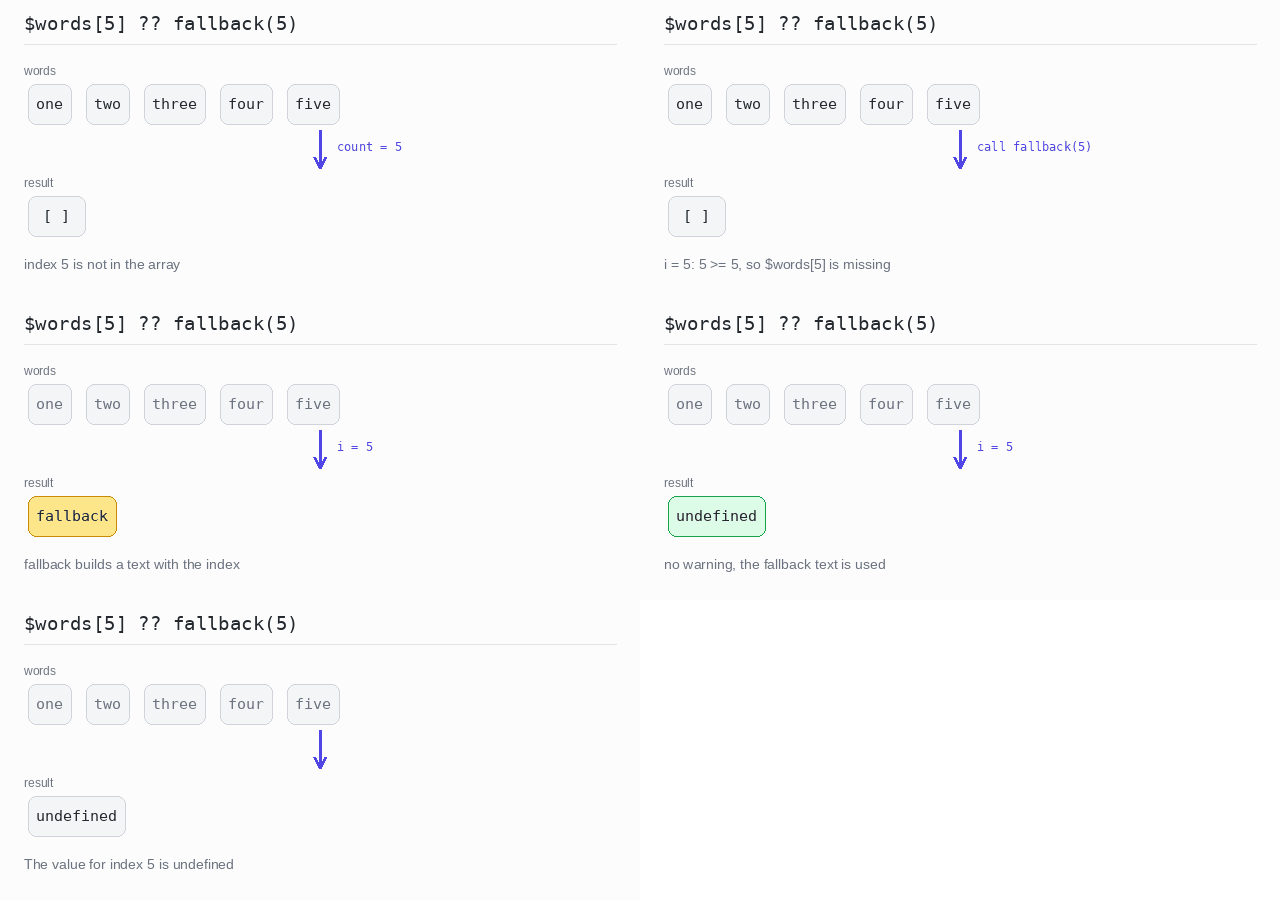
The fallback after ?? can be computed. fallback(5) receives the index and builds the message "The value for index 5 is undefined". ?? is lazy: the function only runs when the element is really missing.
Output: PHP script
<?php

// The fallback builds a message from the index it receives.
function fallback(int $i): string {
  return "The value for index $i is undefined";
}

$words = ["one", "two", "three", "four", "five"];

// ?? reads a missing index without a warning and only
// calls fallback() when the element is really not there.
echo $words[5] ?? fallback(5), "\n";
Retrieve by Condition
Often you do not know the position. You know a condition instead: the first word longer than 3 letters, the last word that starts with "f". The condition is a function that takes one element and returns true or false.
Since PHP 8.4 this is a one-liner: array_find() returns the first element that passes the test — or null when nothing does. So "nothing matched" needs no special flag: it is just null, and ?? or a !== null check handles it.
There is no last-match function. Reverse the array first with array_reverse(): the first match in the reversed array is the last match in the original one.
First match
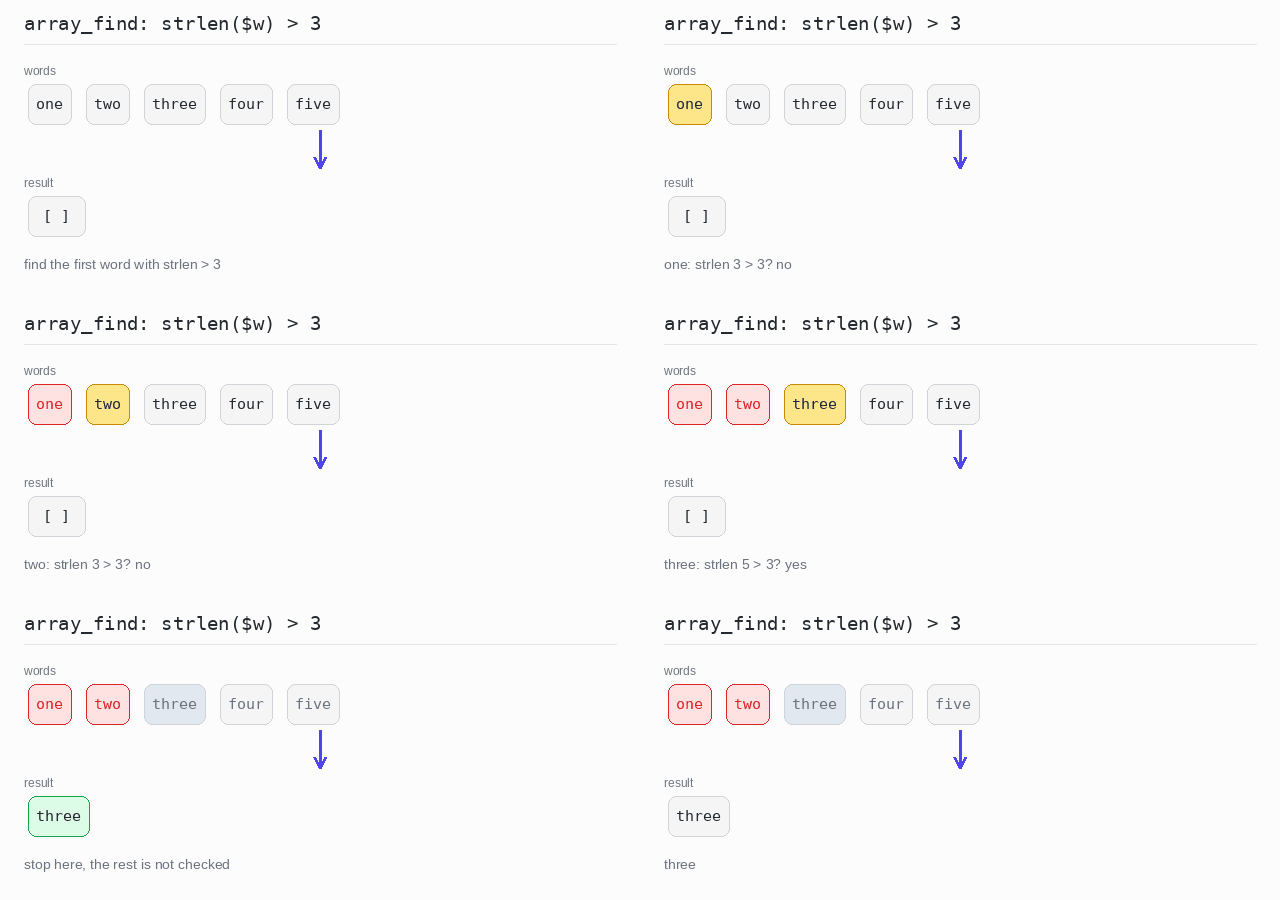
array_find() gives the first word with strlen($w) > 3. That word is three.
Output: PHP script
<?php

$words = ["one", "two", "three", "four", "five"];

// array_find() returns the first element that passes the test.
echo array_find($words, fn($w) => strlen($w) > 3), "\n";
Last match
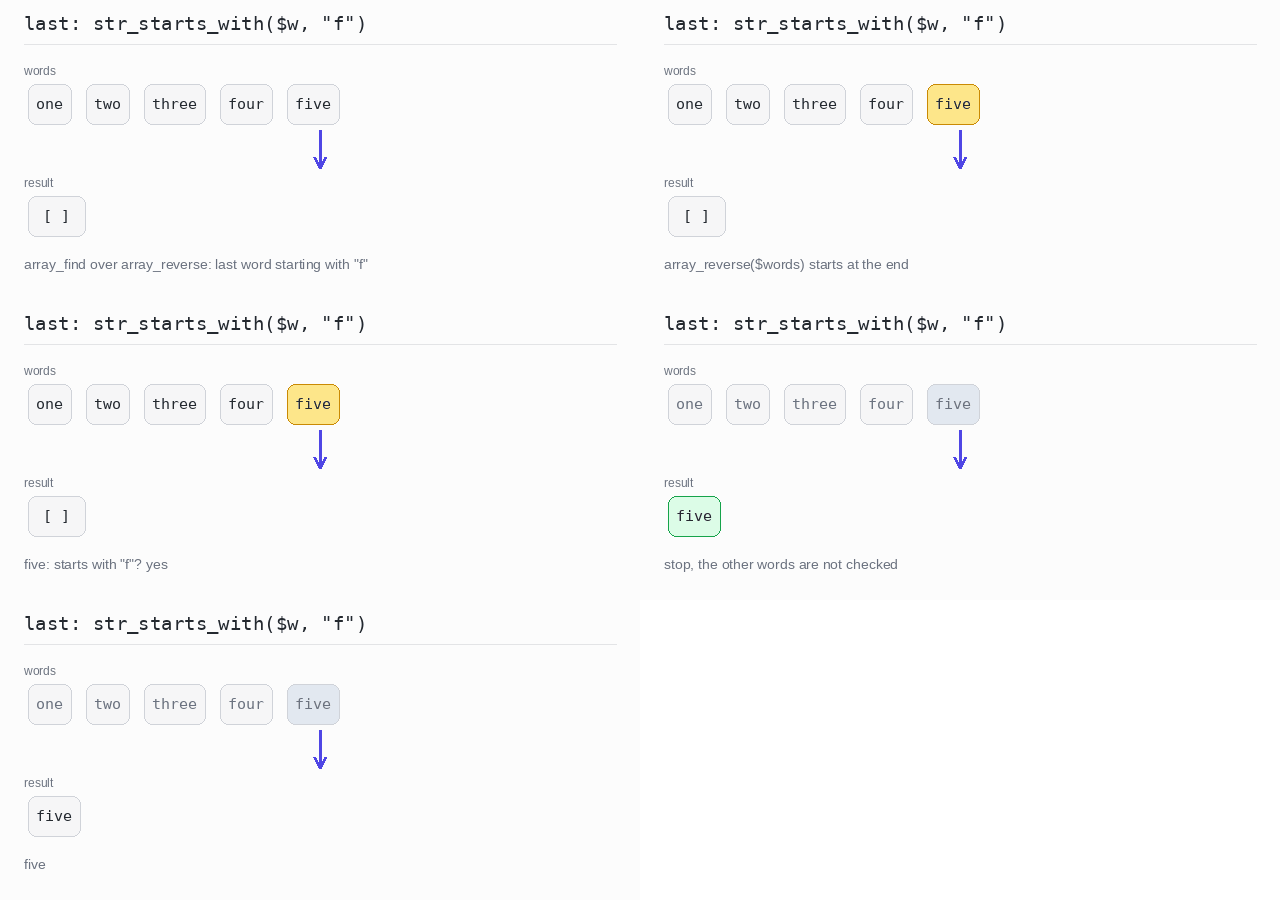
array_reverse($words) puts five first. array_find() then walks the reversed array and stops at the first word that starts with f — which is the last such word of the original array.
Output: PHP script
<?php

$words = ["one", "two", "three", "four", "five"];

// Reverse the array first: the first match in the reversed
// array is the last match in the original one.
$last = array_find(array_reverse($words), fn($w) => str_starts_with($w, "f"));
echo $last, "\n";
First match, or null
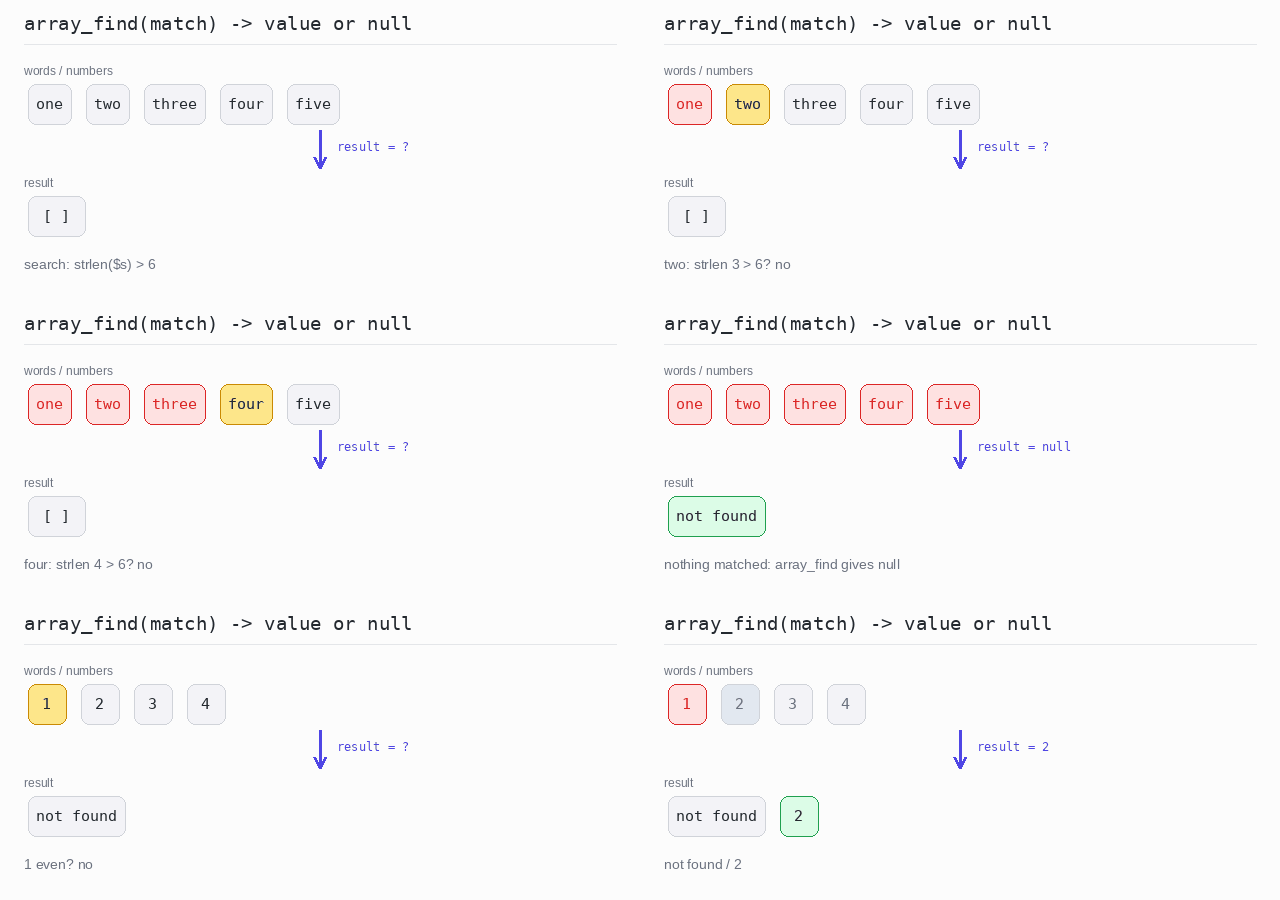
No word is longer than 6 letters, so array_find() returns null and ?? "not found" prints the fallback. In the numbers array the first even number is 2, so the !== null check passes and 2 is printed.
Output: PHP script
<?php

$words = ["one", "two", "three", "four", "five"];
$numbers = [1, 2, 3, 4];

// No word is longer than 6 letters: array_find() returns null.
$w = array_find($words, fn($s) => strlen($s) > 6);
echo $w ?? "not found", "\n";

// The first even number exists, so the check passes.
$n = array_find($numbers, fn($n) => $n % 2 === 0);
if ($n !== null) {
  echo $n, "\n";
}
Last match, or null
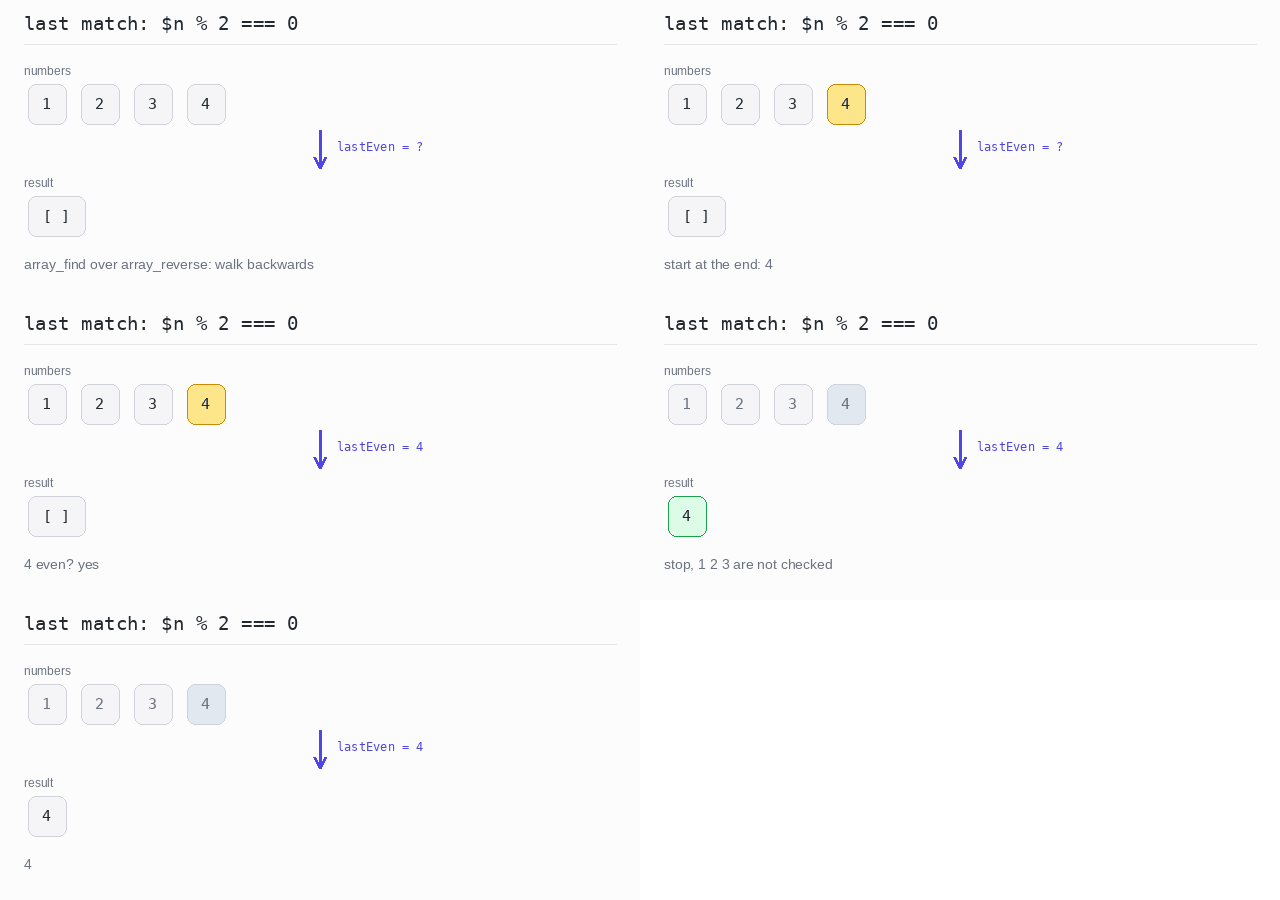
The reversed numbers start with 4, and 4 is even — the search hits at once. Had there been no even number, array_find() would have returned null and the if would have printed nothing.
Output: PHP script
<?php

$numbers = [1, 2, 3, 4];

// Search the reversed array: the first hit is the last match.
$lastEven = array_find(array_reverse($numbers), fn($n) => $n % 2 === 0);

if ($lastEven !== null) {
  echo $lastEven, "\n";
}
Retrieve a Present Value
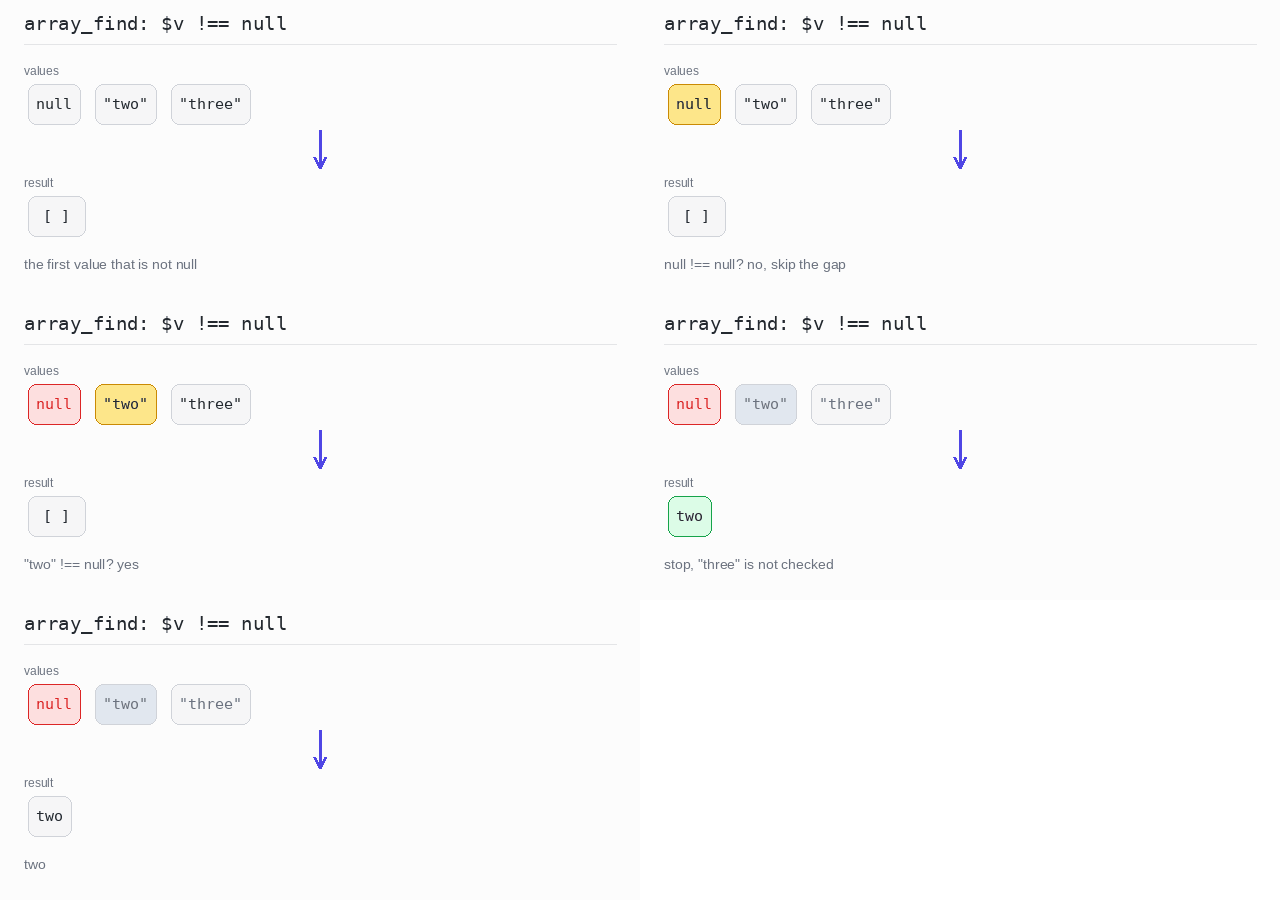
A PHP array can hold null to mark a value that is missing. When you only want the first real value, the condition is simply $v !== null.
array_find() with that test returns the first element that actually holds a value — or null itself when the whole array is only gaps, which again reads naturally with ??.
First value that is not null
The array starts with a gap: null. The test $v !== null skips it, and array_find() returns two, the first value that is really there.
Output: PHP script
<?php

$values = [null, "two", "three"];

// The first value that is really there.
echo array_find($values, fn($v) => $v !== null), "\n";
Random Element
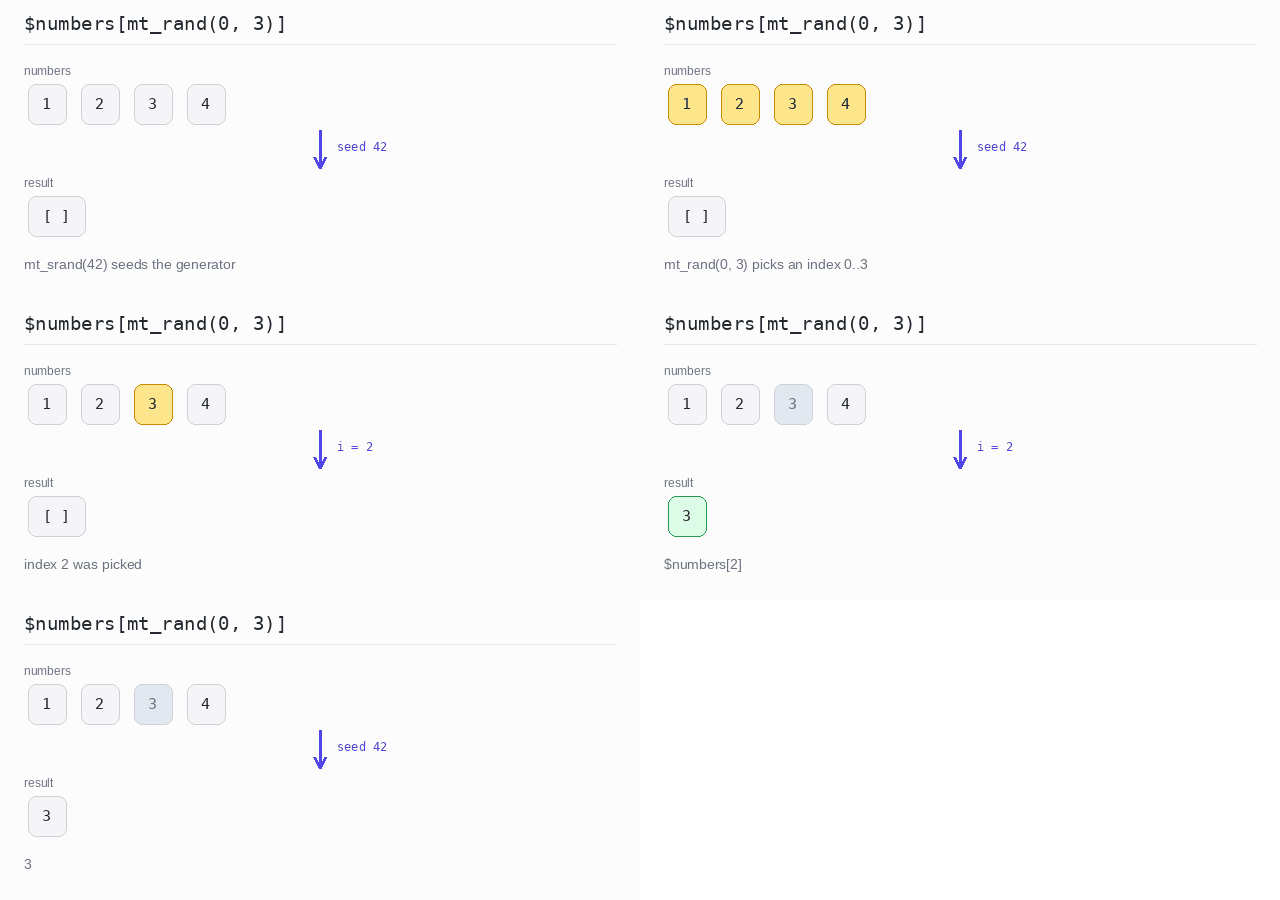
To pick a random element, pick a random index. mt_rand($min, $max) returns a whole number between the two bounds, both included, so mt_rand(0, count($numbers) - 1) is exactly a valid index.
mt_srand(42) starts the generator from a fixed seed. With the same seed the program picks the same element every time, which makes the output predictable — this example seeds only so that its result is reproducible. Leave out mt_srand() when you want a different result on each run.
Pick a random element
With seed 42 the generator picks index 2, so the program prints 3. Change the seed and a different number can come out.
Output: PHP script
<?php

$numbers = [1, 2, 3, 4];

// A fixed seed makes the "random" choice the same on every run.
mt_srand(42);
$i = mt_rand(0, count($numbers) - 1);
echo $numbers[$i], "\n";
Check Element Existence
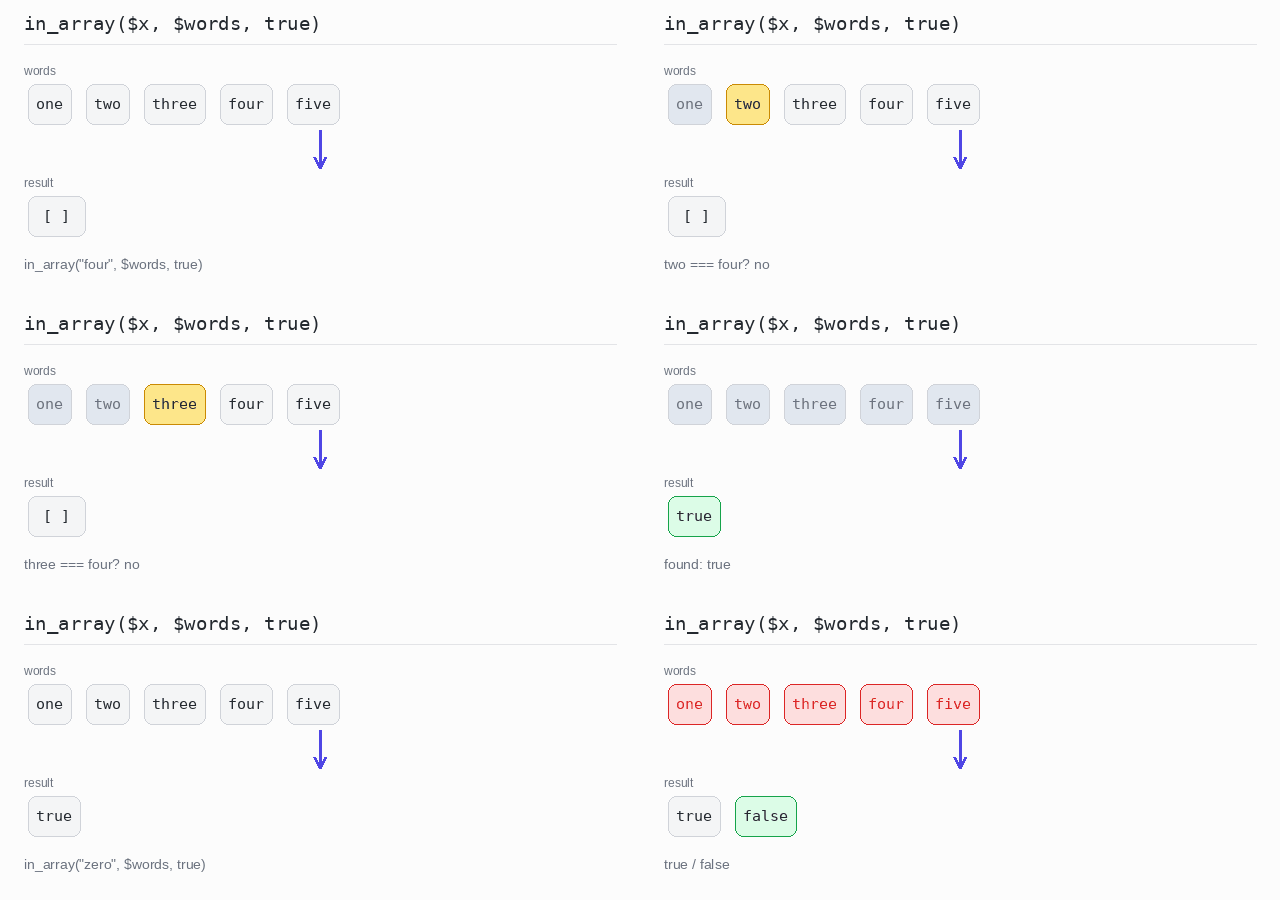
To check whether a value is in an array, use in_array(). Always pass true as the third argument: it demands that type and value match, so the string "1" is not confused with the number 1.
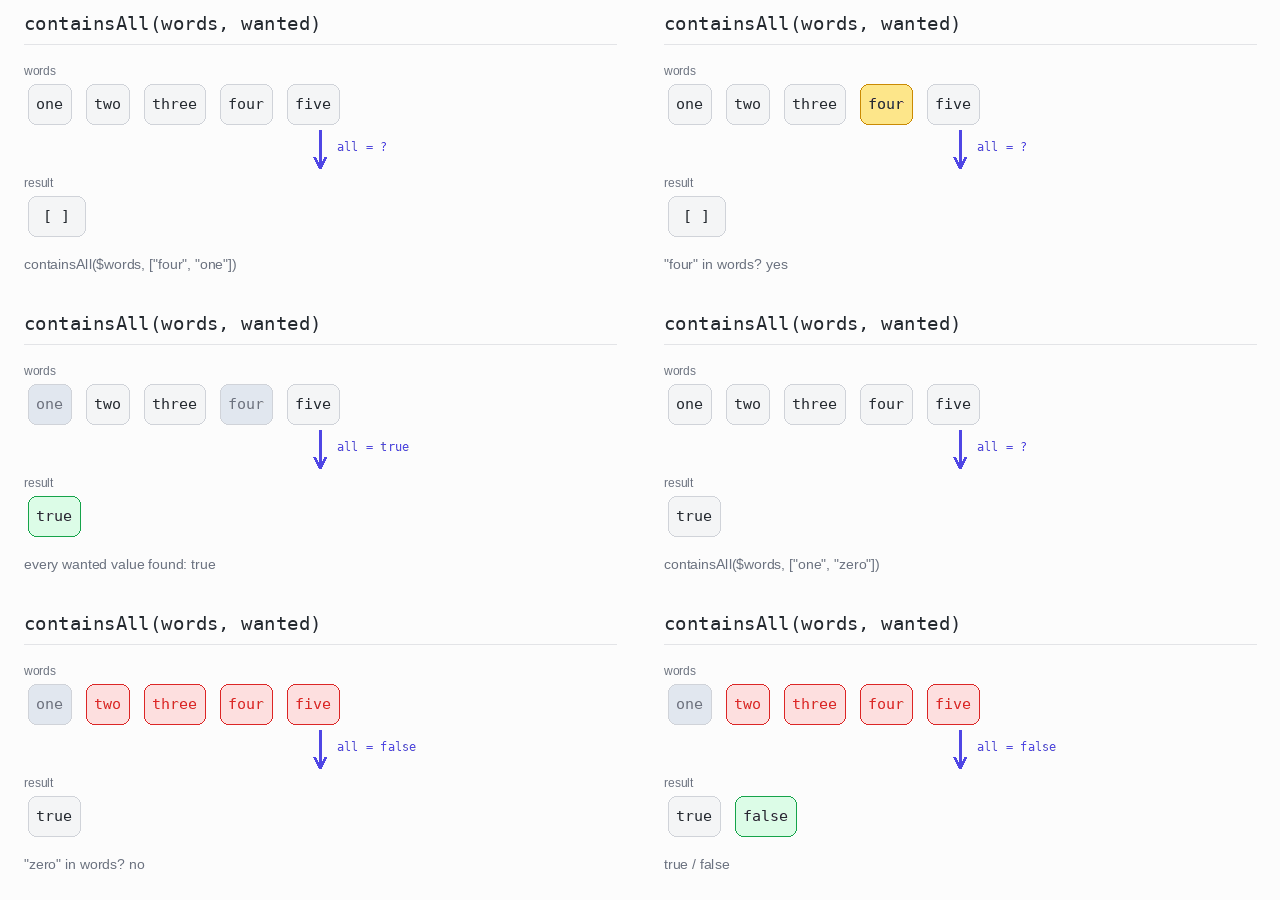
PHP has no containsAll(). A small helper with array_all() (new in PHP 8.4) does the job: every wanted value must pass its own in_array() check.
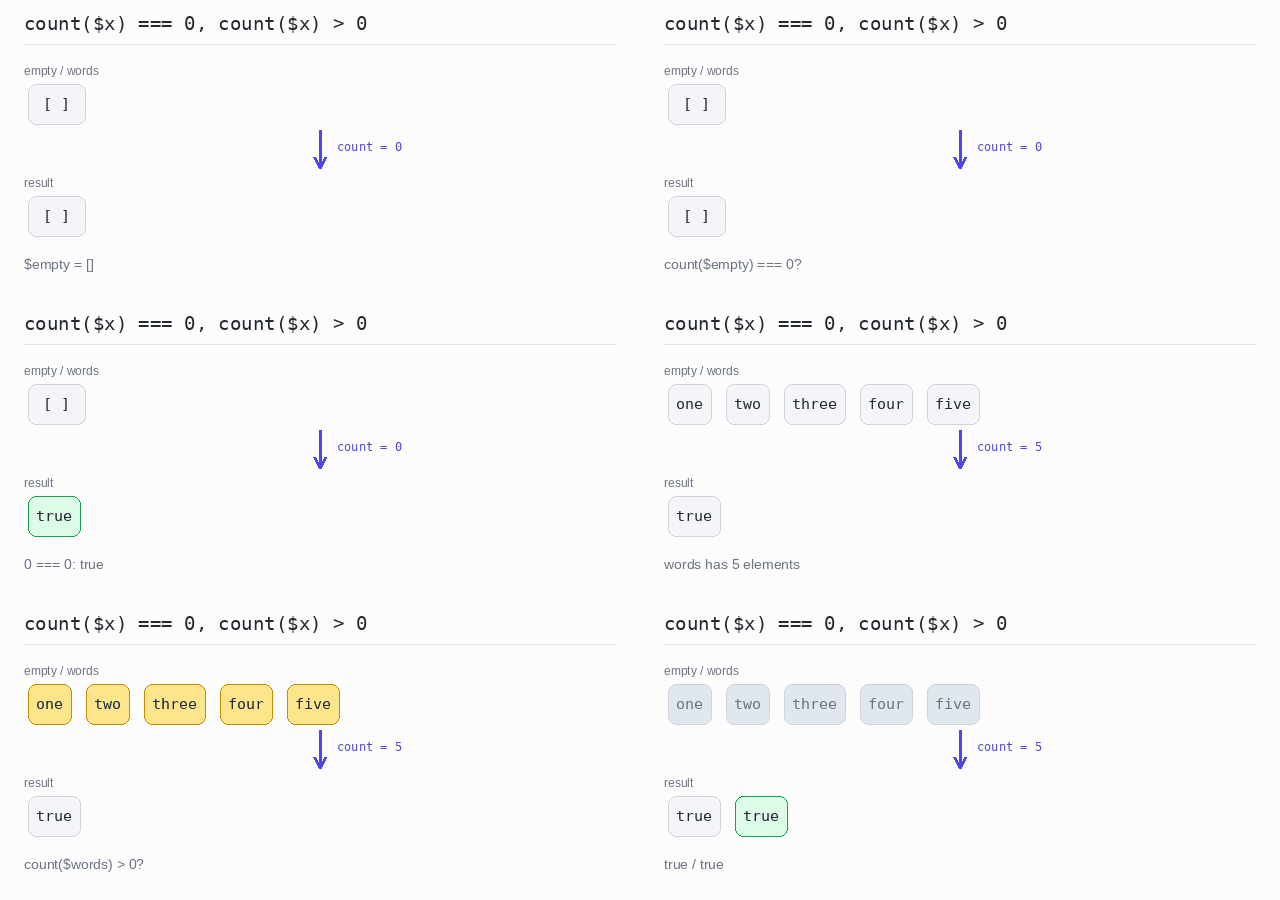
An array is empty when count($x) === 0 and not empty when count($x) > 0. The shorter empty($x) also exists, but be careful: it is true for any falsy value — 0, "", null — not only for empty arrays, so the explicit count() comparison says exactly what you mean.
Contains one value
four is in the array, so the first check prints true. zero is not, so the second one prints false. The third argument true makes in_array() compare with ===.
Output: PHP script
<?php

$words = ["one", "two", "three", "four", "five"];

// The third argument true demands identical type and value.
echo json_encode(in_array("four", $words, true)), "\n";
echo json_encode(in_array("zero", $words, true)), "\n";
Contains all values
Both four and one are in the array, so containsAll() returns true. zero is missing, so the second call returns false — array_all() stops at the first wanted value that fails.
Output: PHP script
<?php

// containsAll is true only when every wanted value is in $items.
function containsAll(array $items, array $wanted): bool {
  return array_all($wanted, fn($v) => in_array($v, $items, true));
}

$words = ["one", "two", "three", "four", "five"];

echo json_encode(containsAll($words, ["four", "one"])), "\n";
echo json_encode(containsAll($words, ["one", "zero"])), "\n";
Empty or not empty
$empty has count 0, so count($empty) === 0 is true. $words has 5 elements, so count($words) > 0 is also true. json_encode() turns each boolean into the text true.
Output: PHP script
<?php

$words = ["one", "two", "three", "four", "five"];
$empty = [];

// An array is empty when its count is 0.
echo json_encode(count($empty) === 0), "\n";
echo json_encode(count($words) > 0), "\n";